Special 30% Discount Active!
Grab your Literature Matrix license at a massive discount.
Master Your References with Literature Matrix
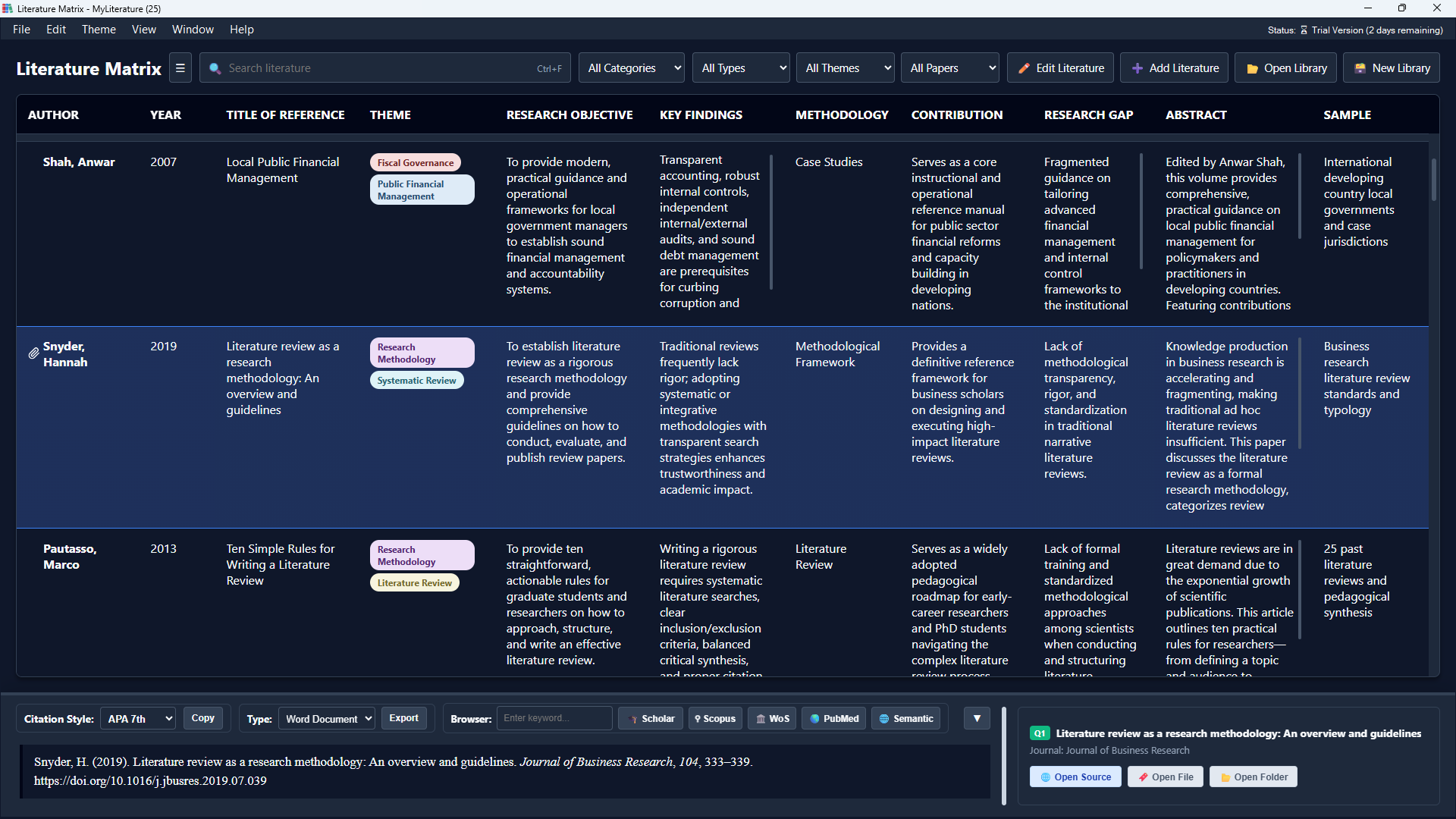
Organize over 40+ reference types, manage master database libraries, and seamlessly insert formatted citations into Microsoft Word with active hyperlinking and custom quick-search controls.














Overview: Literature Matrix
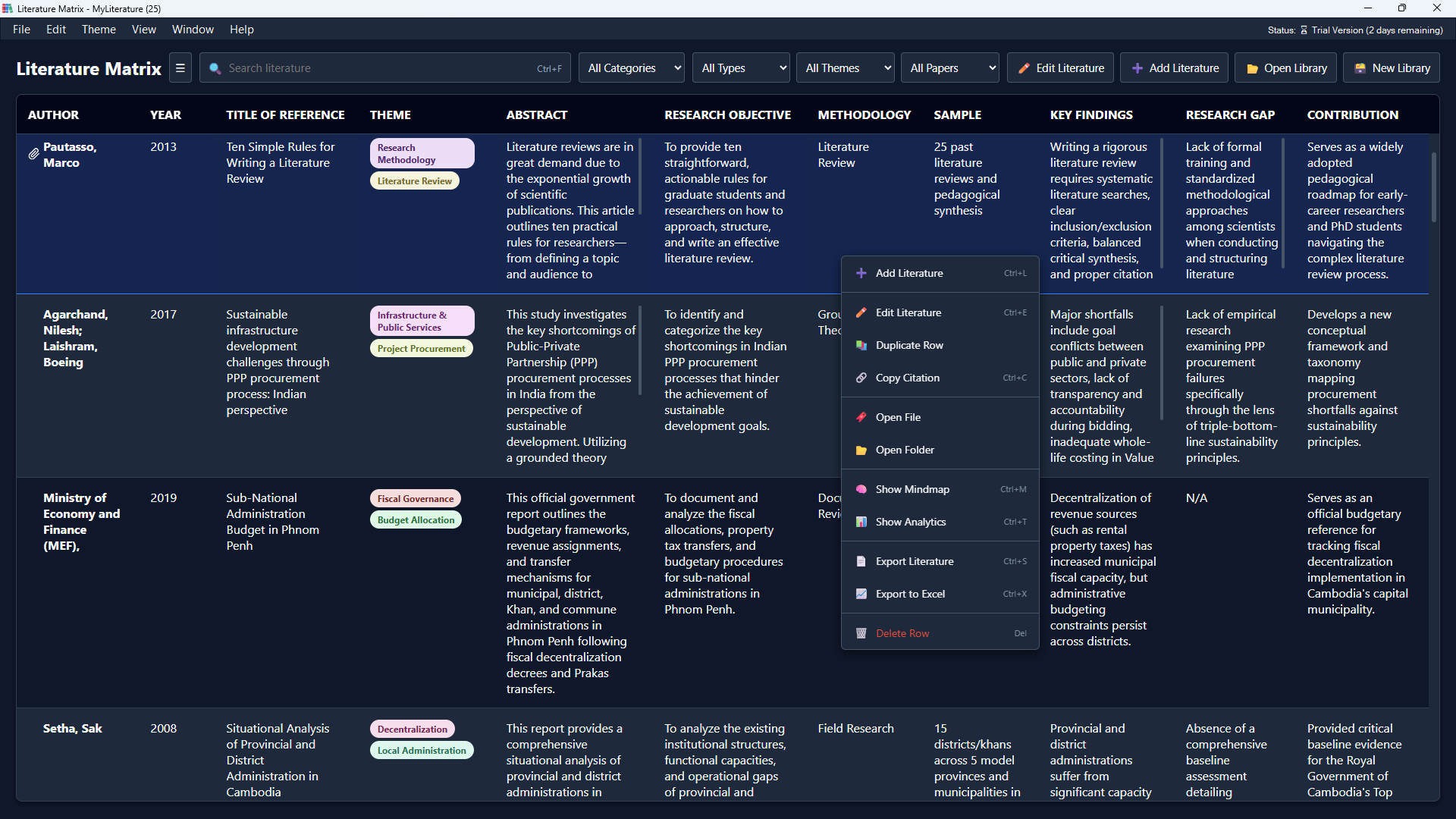
A powerful central database and built-in browser engine to collect, analyze, and visualize research papers effortlessly.
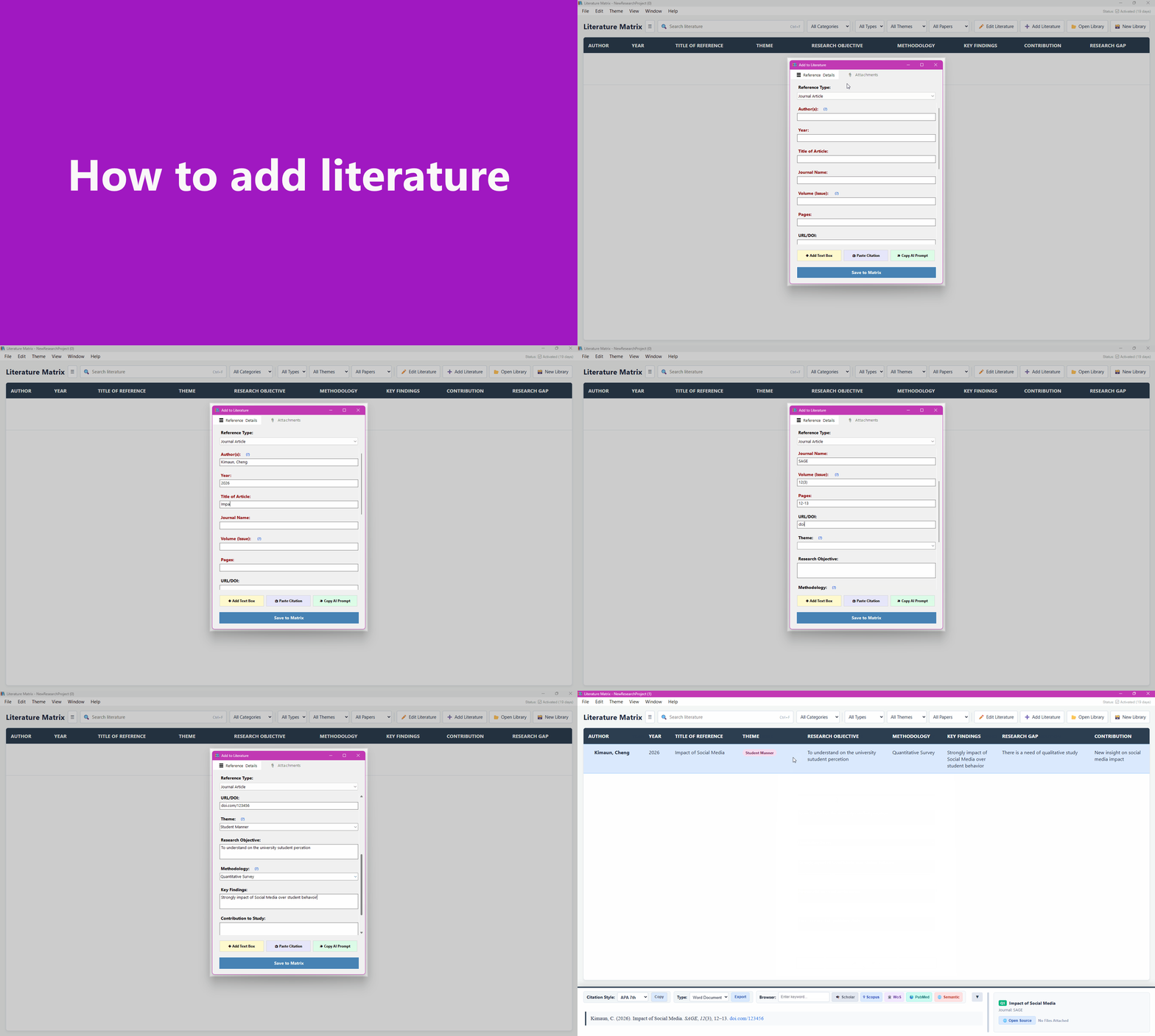
1. 40+ Reference Types & Master Imports
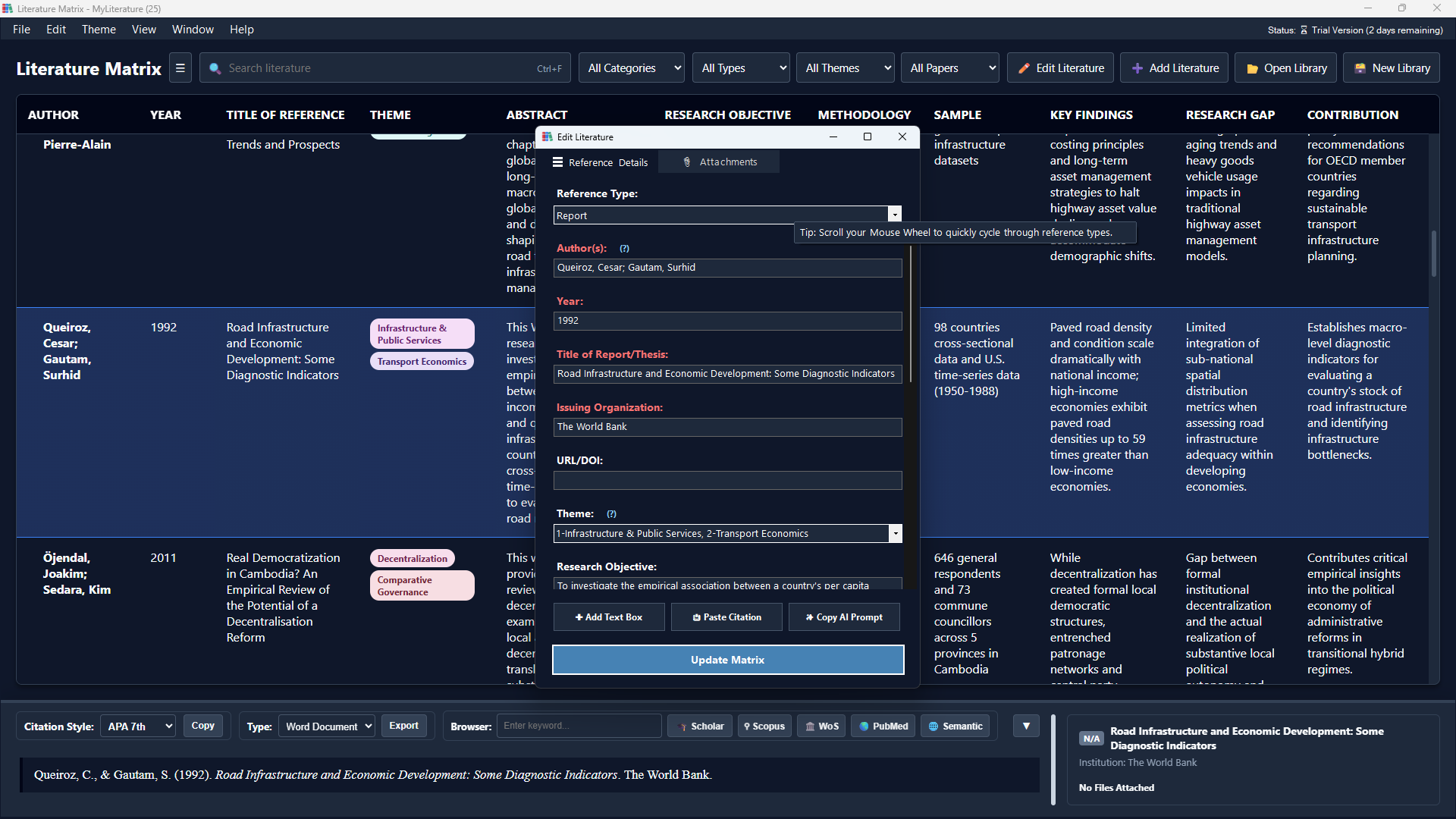
Support for over 40 distinct publication types. Import existing references via RIS, BibTeX (.bib) or EndNote (.enw).
Advanced Options: Users can add custom fields and toggle advanced tracking (Methodology, Findings, Gaps, Contributions) even for non-research types like Books or Book Chapters.
Supported Types
2. Live Citation & Metadata Panel
View your metadata instantly and generate publication-ready citations on the fly. Select from standard academic formats directly in the interface.
- • Standard Styles: Support for APA, MLA, Chicago, Harvard, and Vancouver.
- • Instant Preview: See your formatted citation immediately before exporting or inserting into Word.
Smith, J. (2024)
Journal of Future Tech • Vol 12, Issue 4
Smith, J. (2024). Literature review on AI. Journal of Future Tech, 12(4), 45-60.
https://doi.org/10.1234/jft.2024.045
3. Advanced Filtering & Multi-Format Export
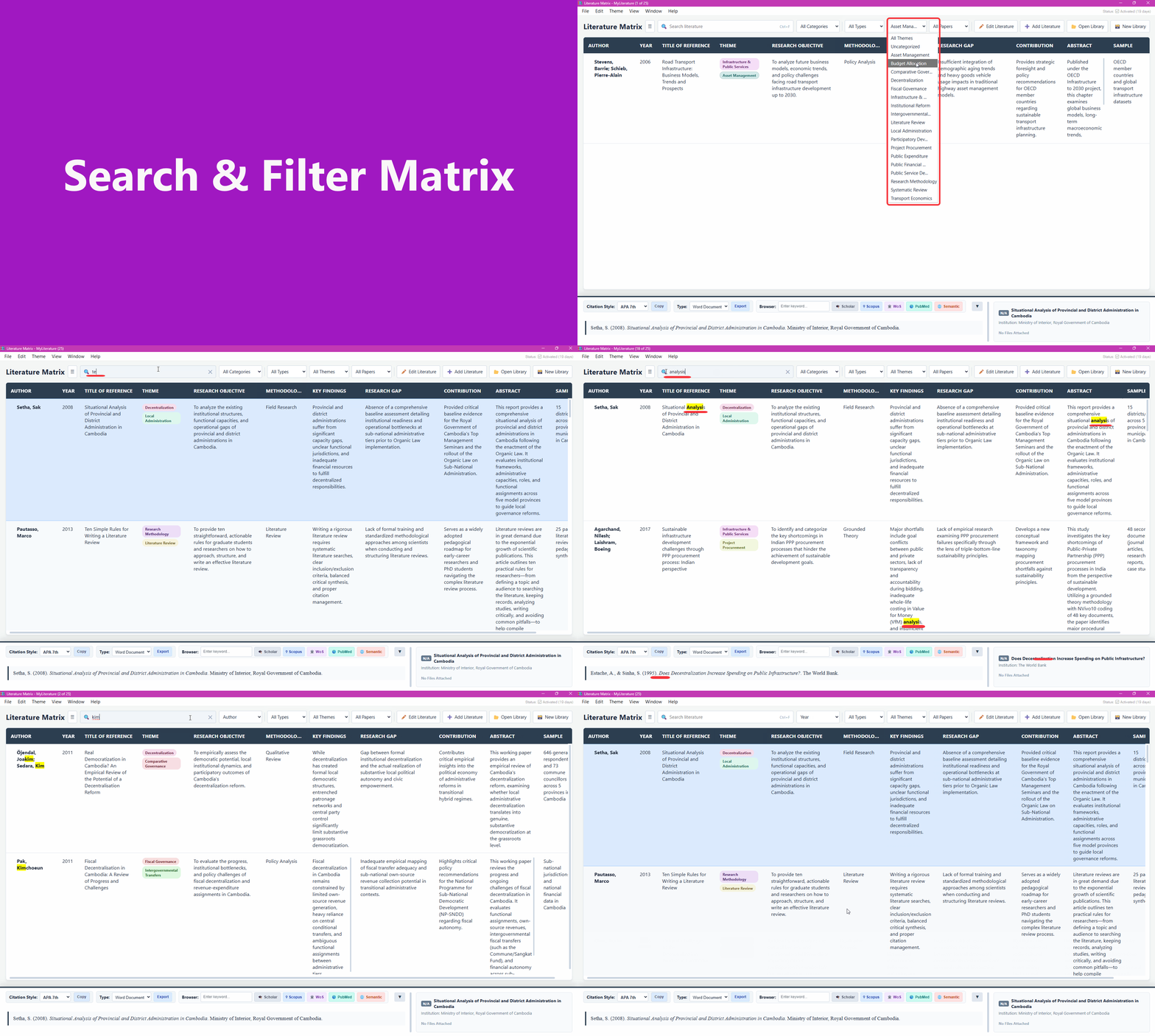
- • Filter by: Custom Theme, Type of Reference, or use the global searching box.
- • Visual Searching: Toggle Keyword Highlight matching in search results.
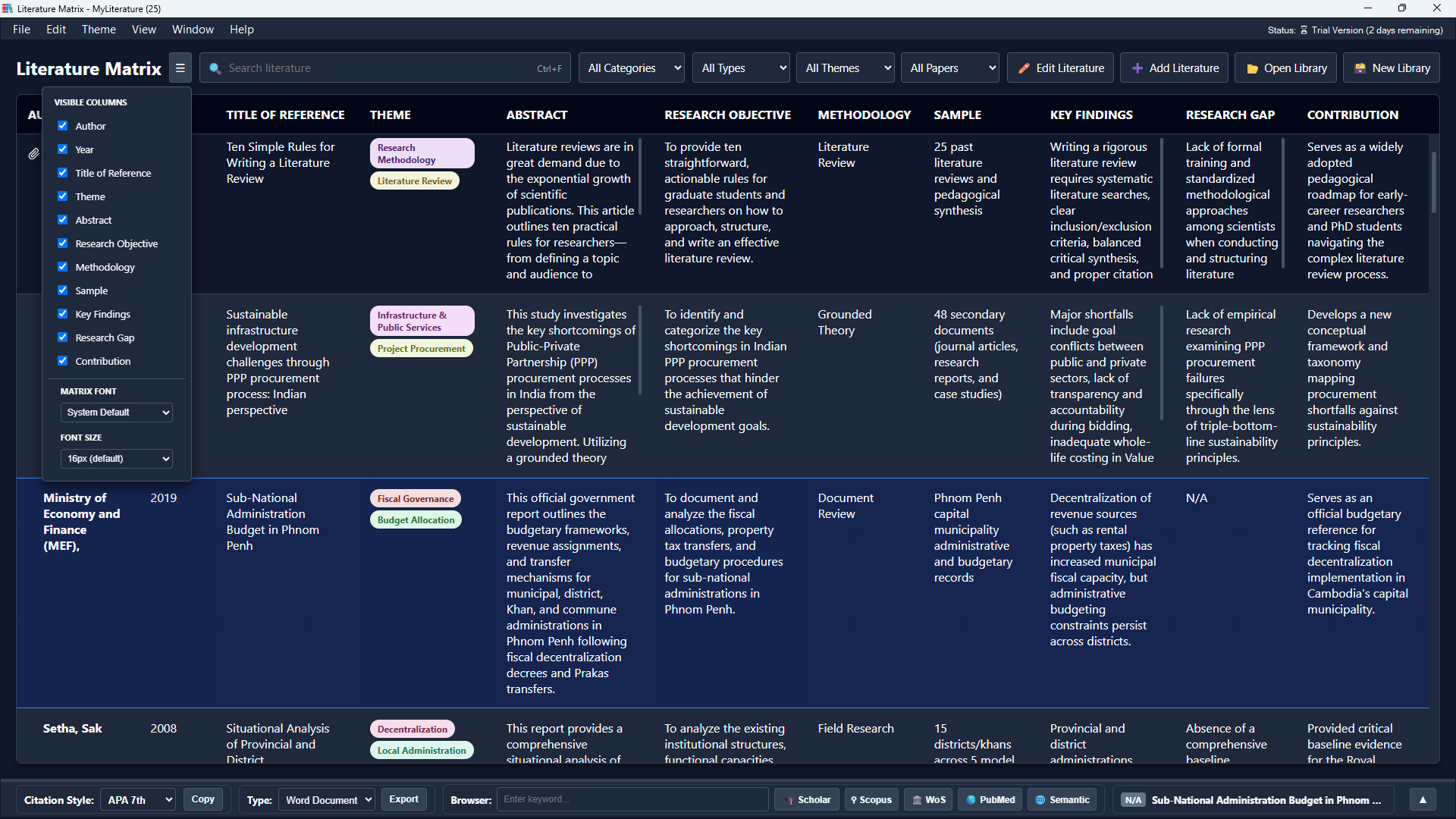
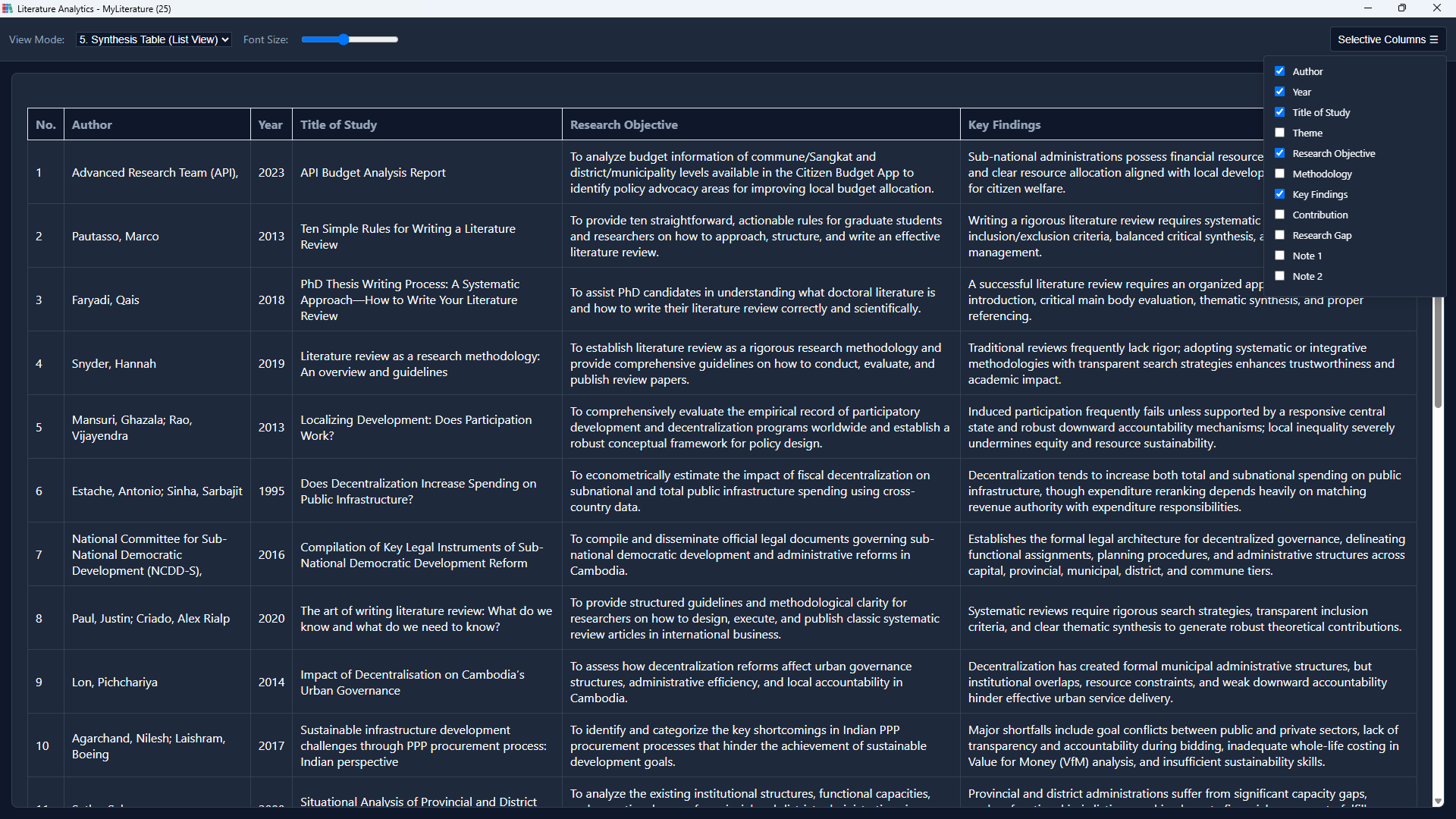
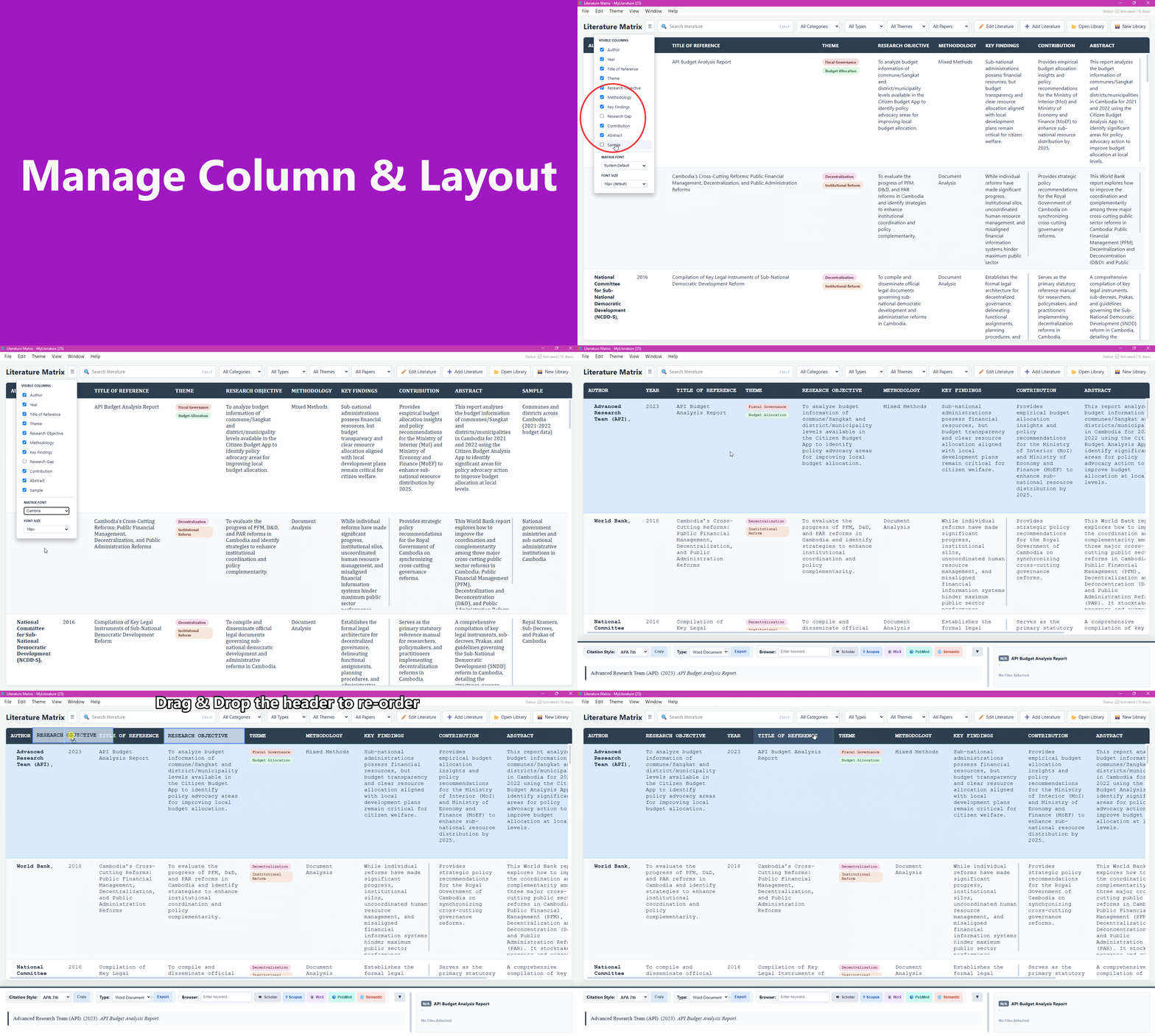
- • Customize View: Selectively show or hide specific matrix columns.
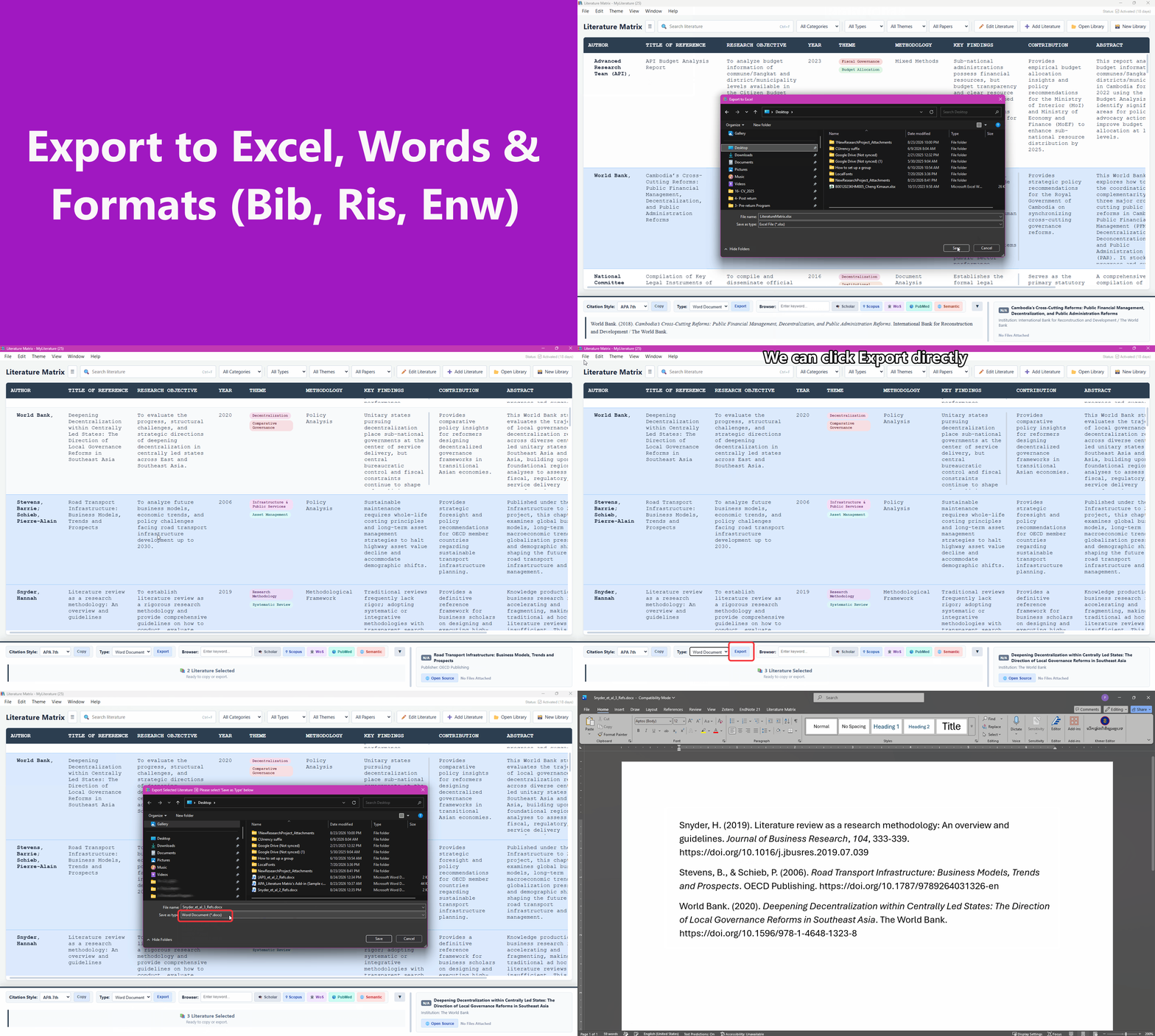
Export references seamlessly to DOCX, RIS, BibTeX, or ENW formats.
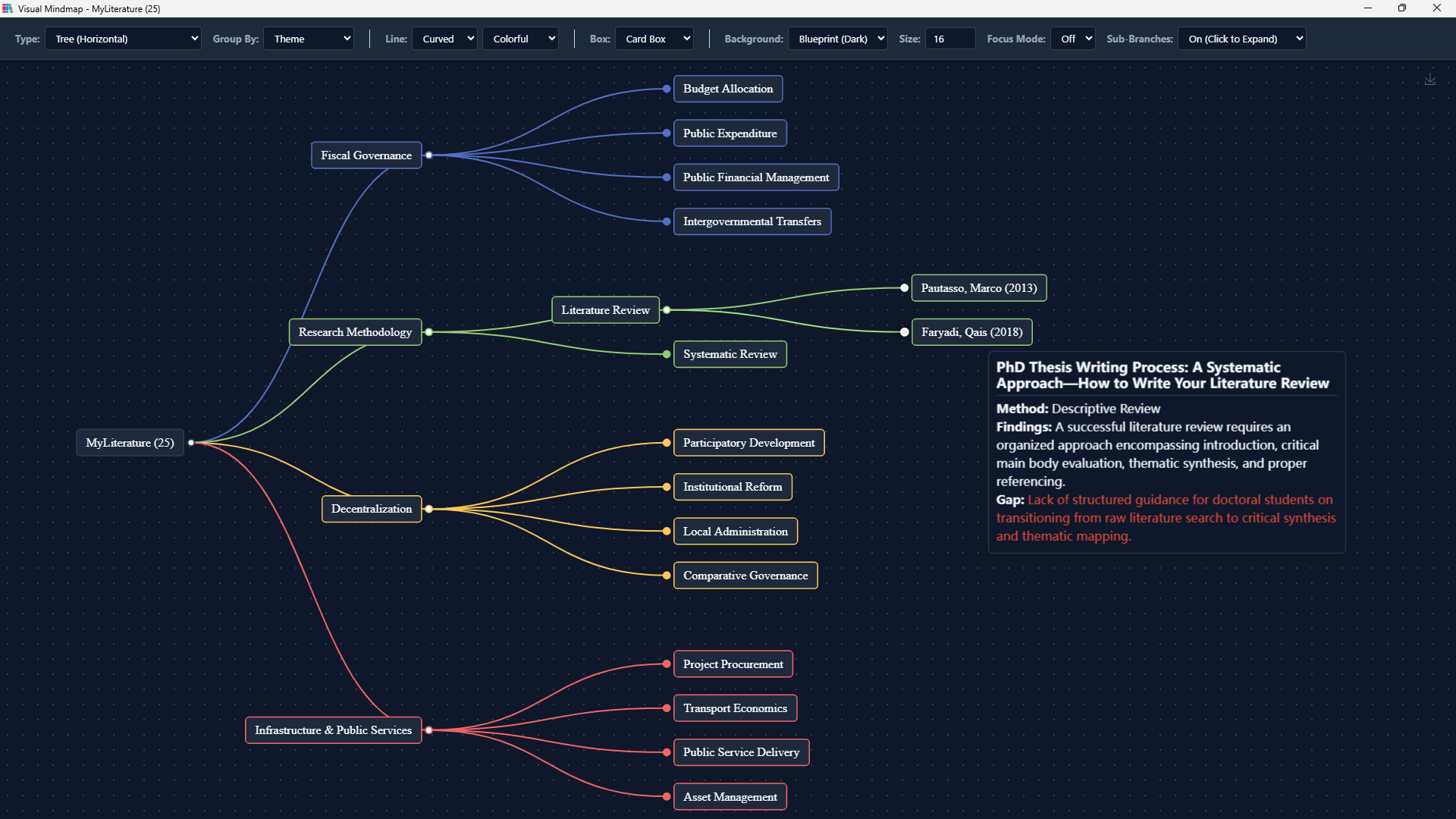
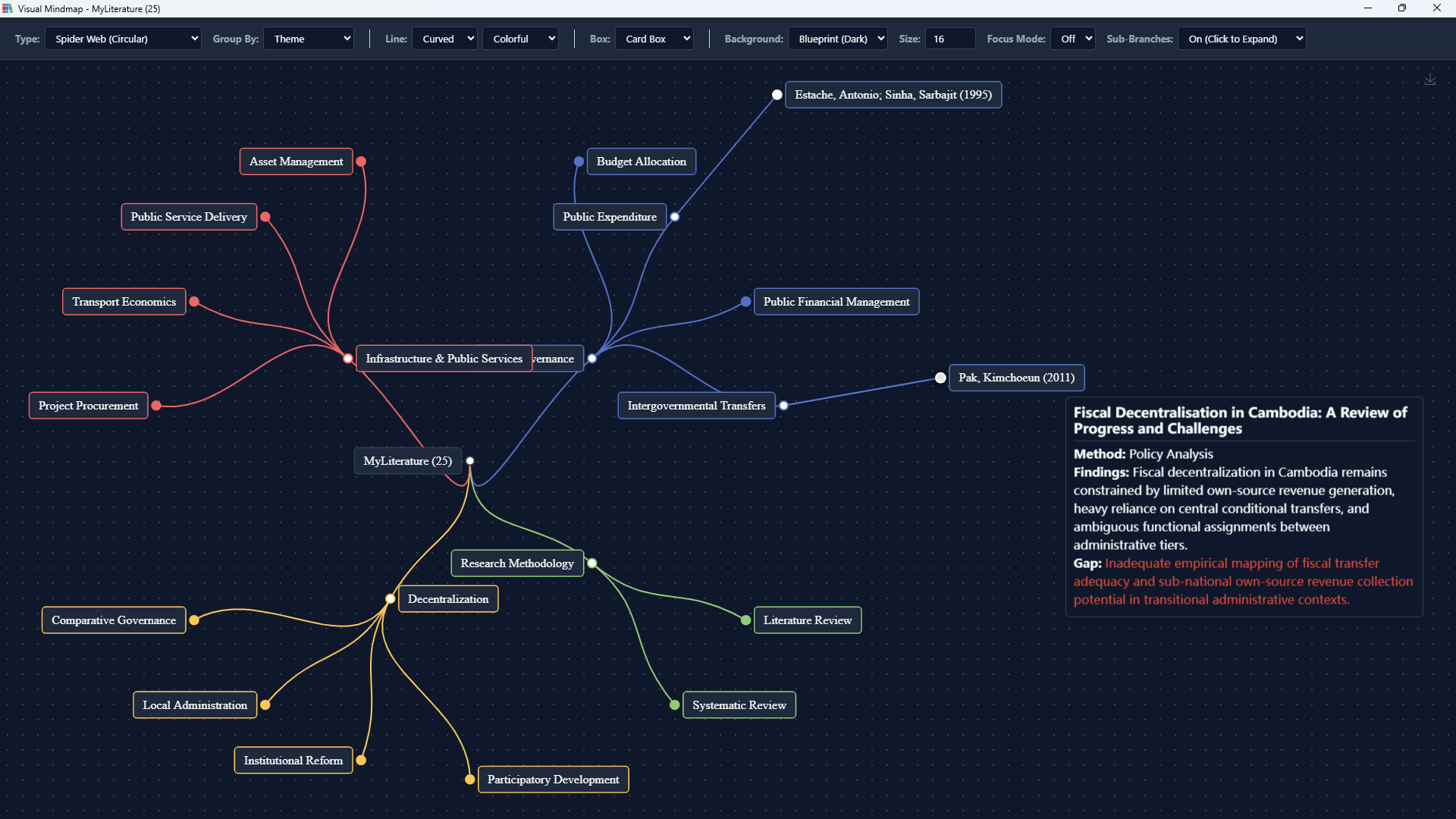
4. Interactive Mindmap
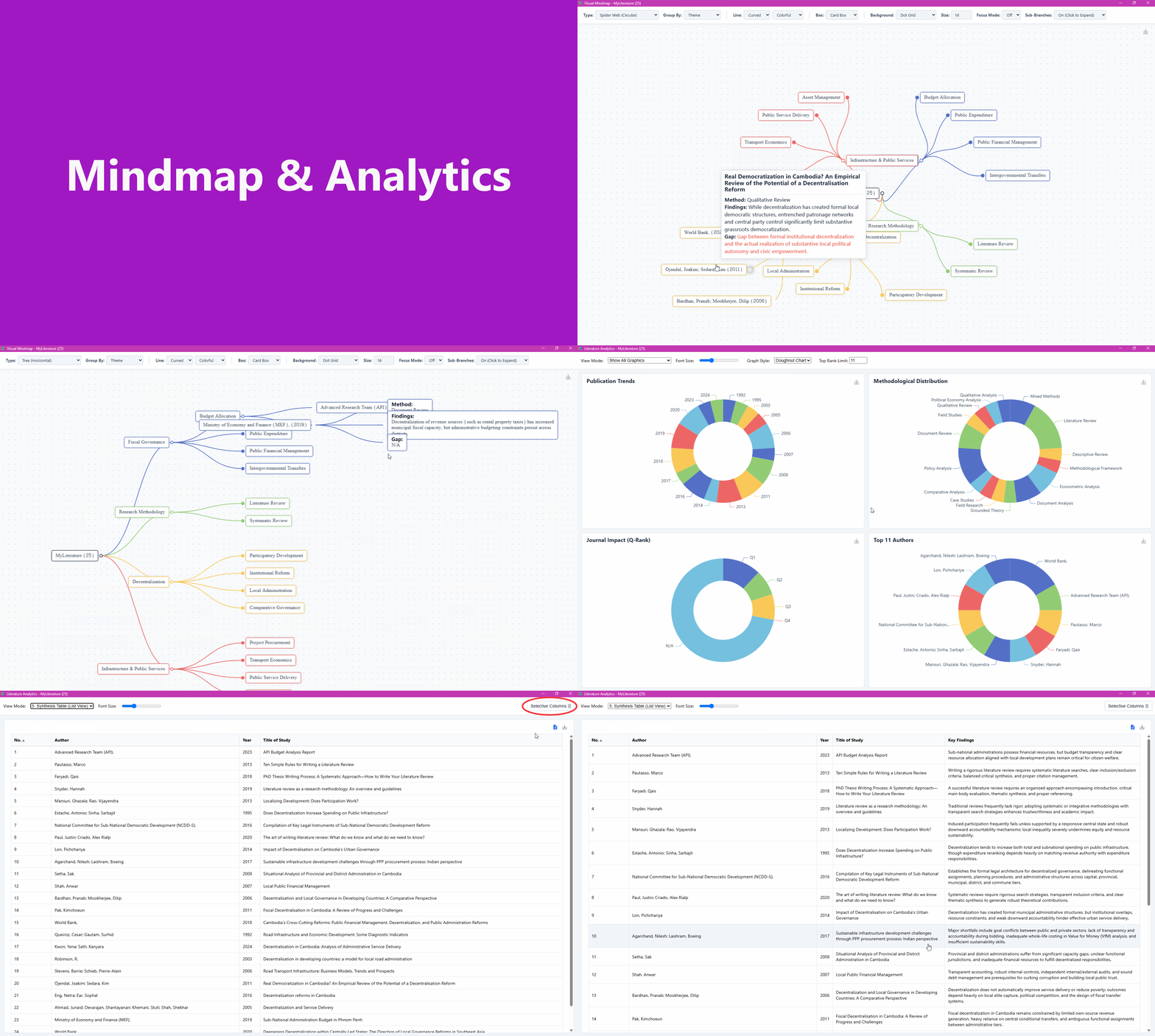
Visualize literature connections instantly with 5 dynamic chart layouts: Hierarchical map, Tree (horizontal/vertical), Spider Web, and SunBurst.
- • Sort Nodes by: Theme, Author, Year, or Methodology.
- • Fully Customizable: Adjust font sizes, box styles, and connector lines to create publication-ready diagrams.
Hover over the nodes in the preview to explore mock data.
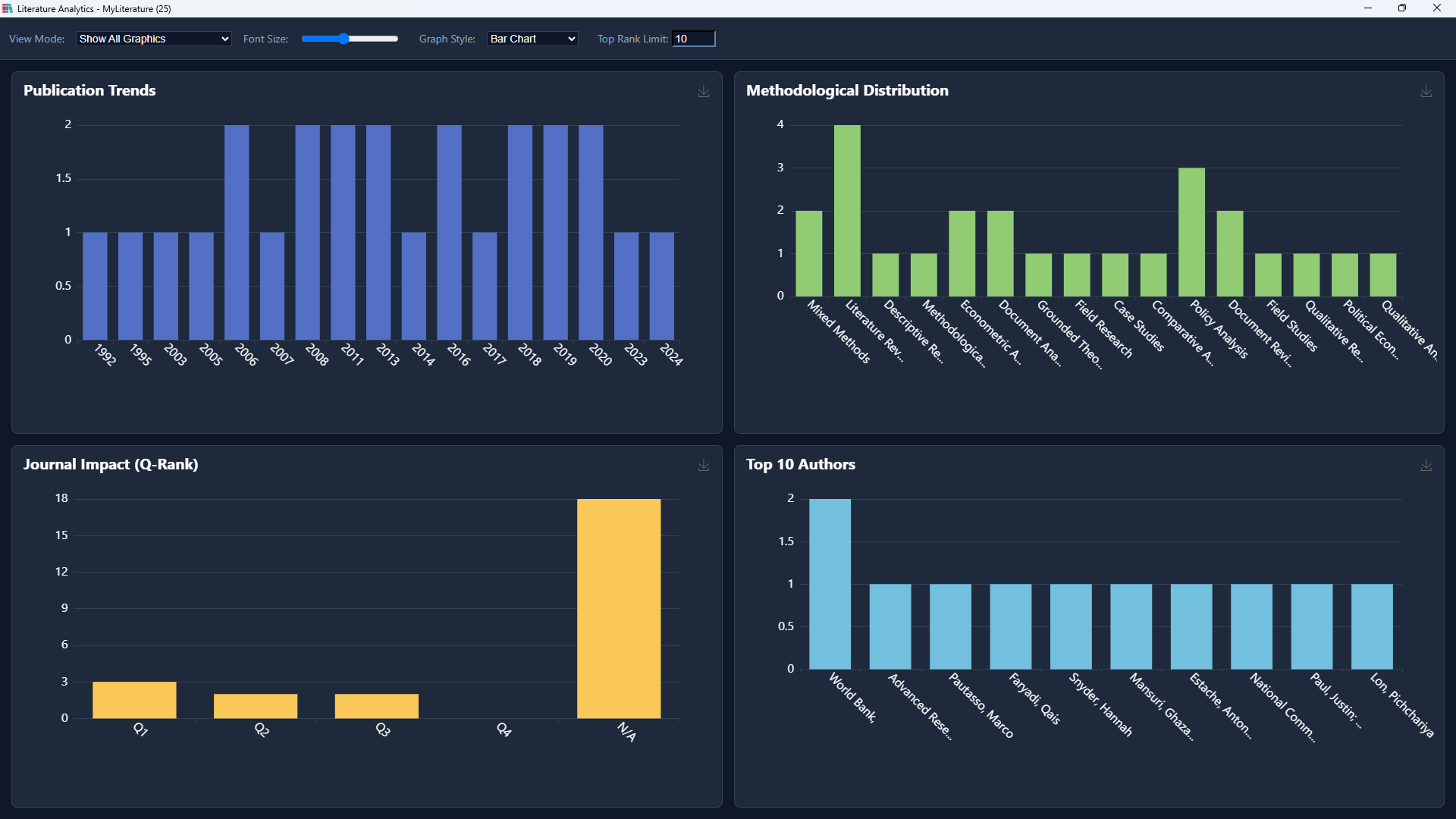
5. Data Analytics
Uncover patterns in your literature database with distinct analytical views:
- • Publication Trends
- • Methodological Distribution
- • Top Authors
- • Journal Impact (Q-Rank)
- • Synthesis Table (List View)
Toggle between Bar, Line, Pie, Doughnut, and Scatter plots. Use numeric controls to dynamically expand or narrow your top author datasets.
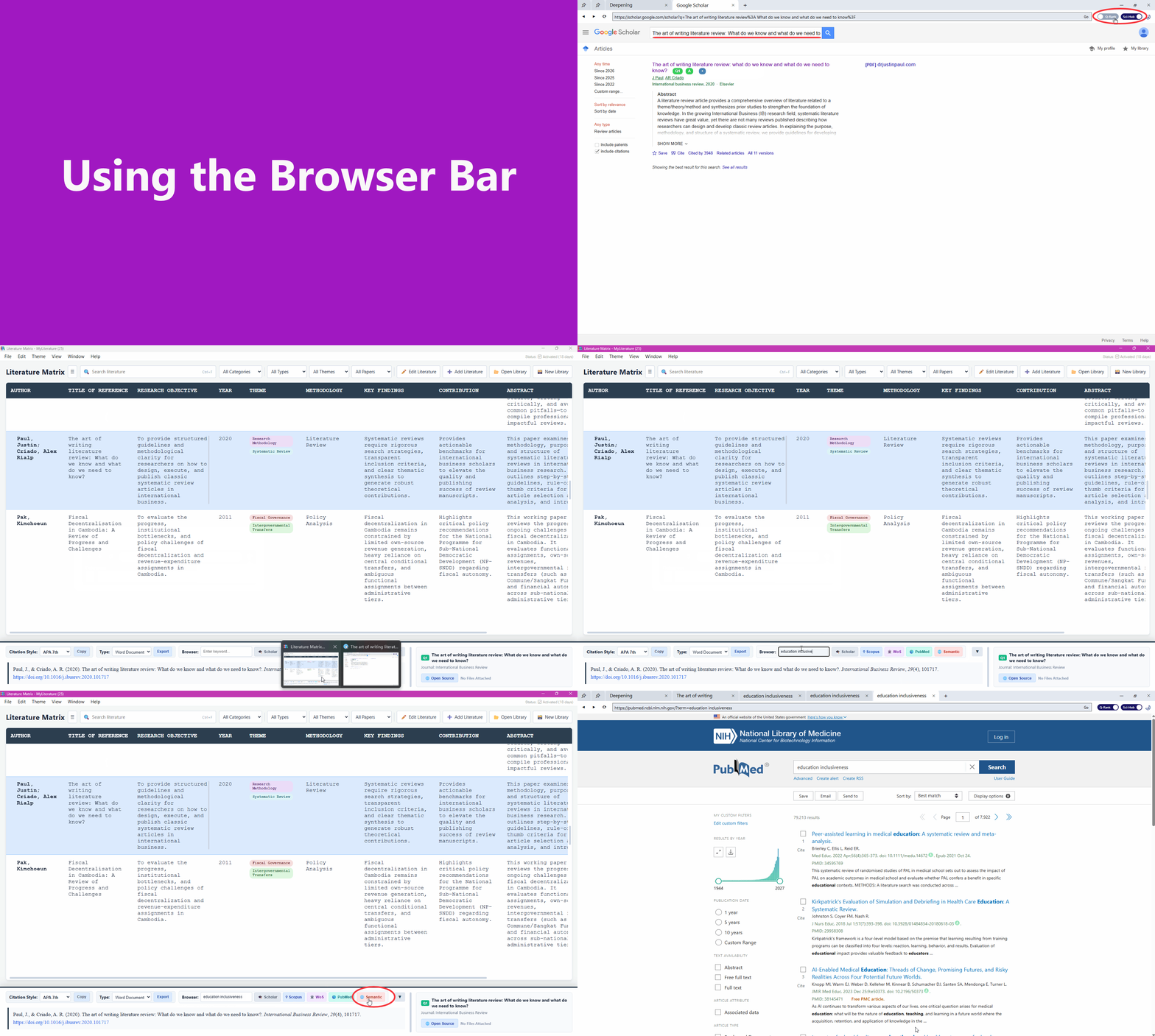
6. Internal Research Browser
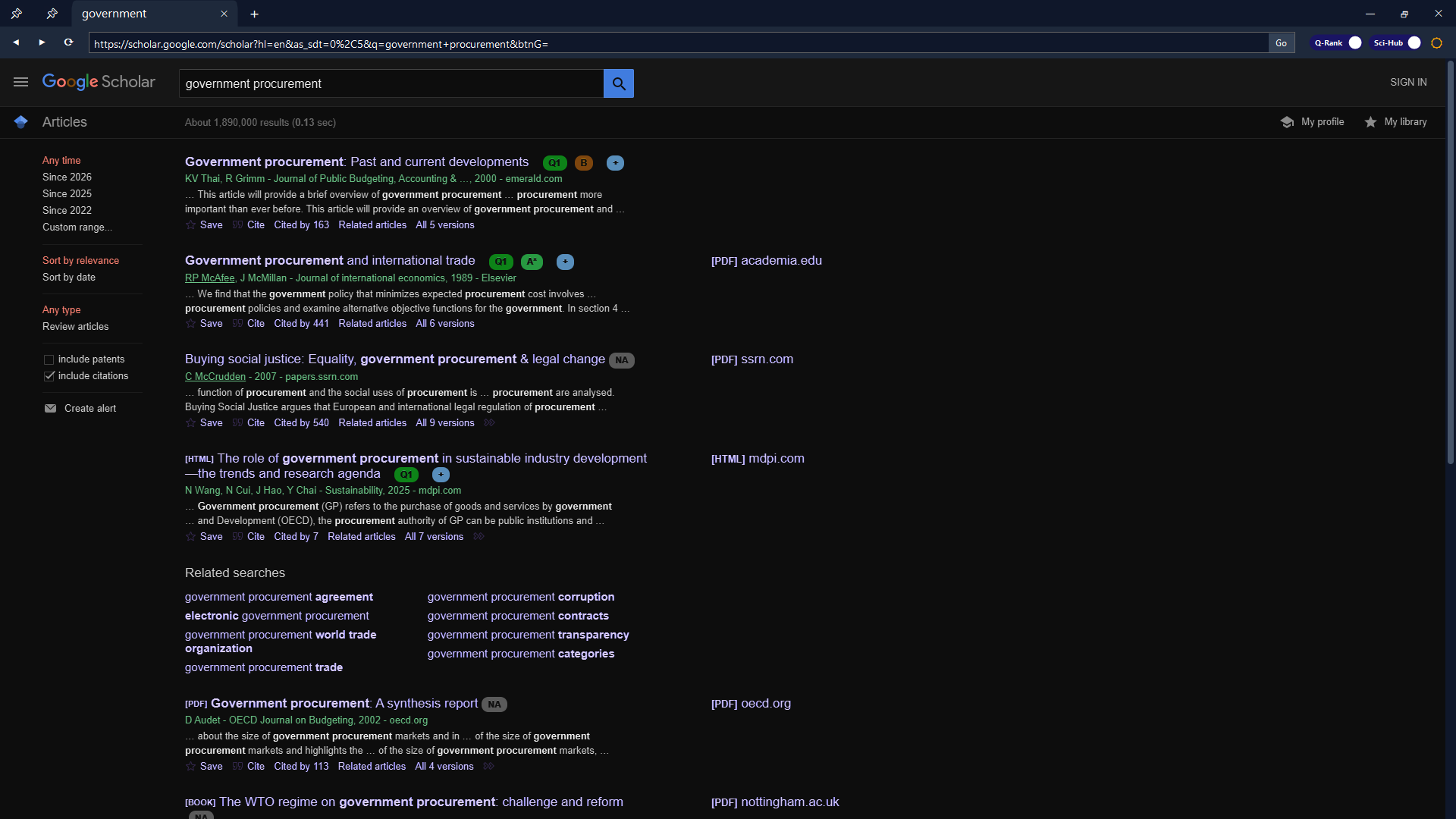
Browse online literature directly inside Literature Matrix without leaving the environment. Allows rapid metadata extraction straight into your database.
- • Sci-Hub Integration: Built-in support for resolving DOIs on any website and Google Scholar.
- • Q-Rank: Flexibly toggle these overlay features ON or OFF globally.
Turn ON or OFF on the two toggles to preview the features.
7. App Appearance & Themes
Work comfortably in any lighting condition. Choose between a crisp Light mode, a sleek Dark mode to reduce eye strain during late-night research sessions, or set it to match your System default automatically.
8. AI Prompt Generator
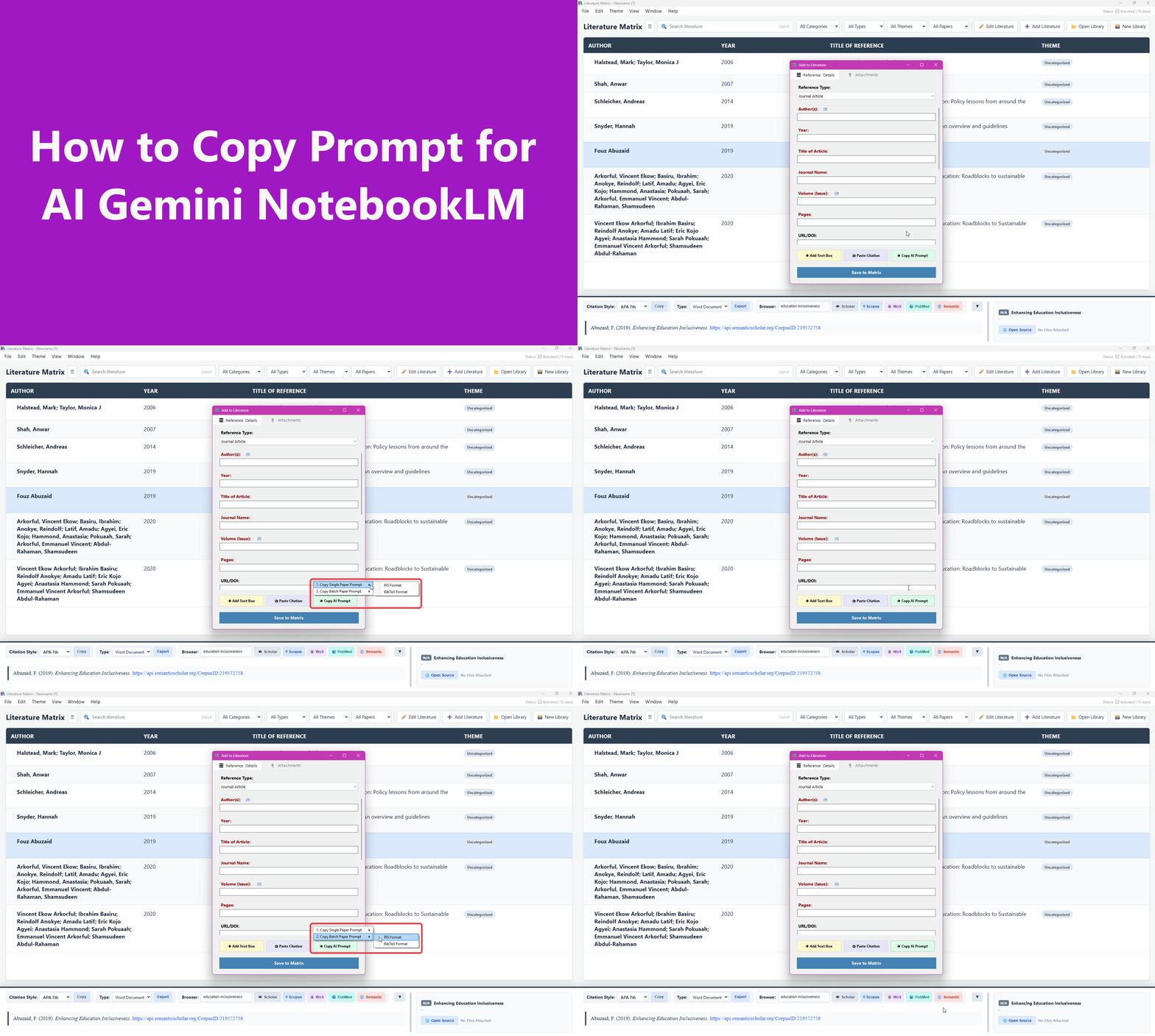
Bridge the gap between your library and AI assistants. Automatically generate highly optimized instructions for LLMs based on single or batch papers in your database.
- • Request formatted RIS or BibTeX data extraction.
- • Generate instructions for deep Paper Summarization.
- • Process Single Papers or massive Batch Extracts.
Just copy the generated prompt to your clipboard and paste it directly into tools like Google NotebookLM, Jenni AI, or Claude alongside your uploaded PDFs.
"Act as an expert academic research assistant..."
Main Application Shortcuts
Work faster with these global hotkeys in the Literature Matrix UI.
Ctrl + NCtrl + LCtrl + OCtrl + ECtrl + PAlt + CCtrl + CCtrl + ICtrl + SCtrl + Shift + SCtrl + XCtrl + BDelCtrl + WCtrl + M (Mindmap) Ctrl + T (Analytics)Literature Matrix: Word Add-in Guide
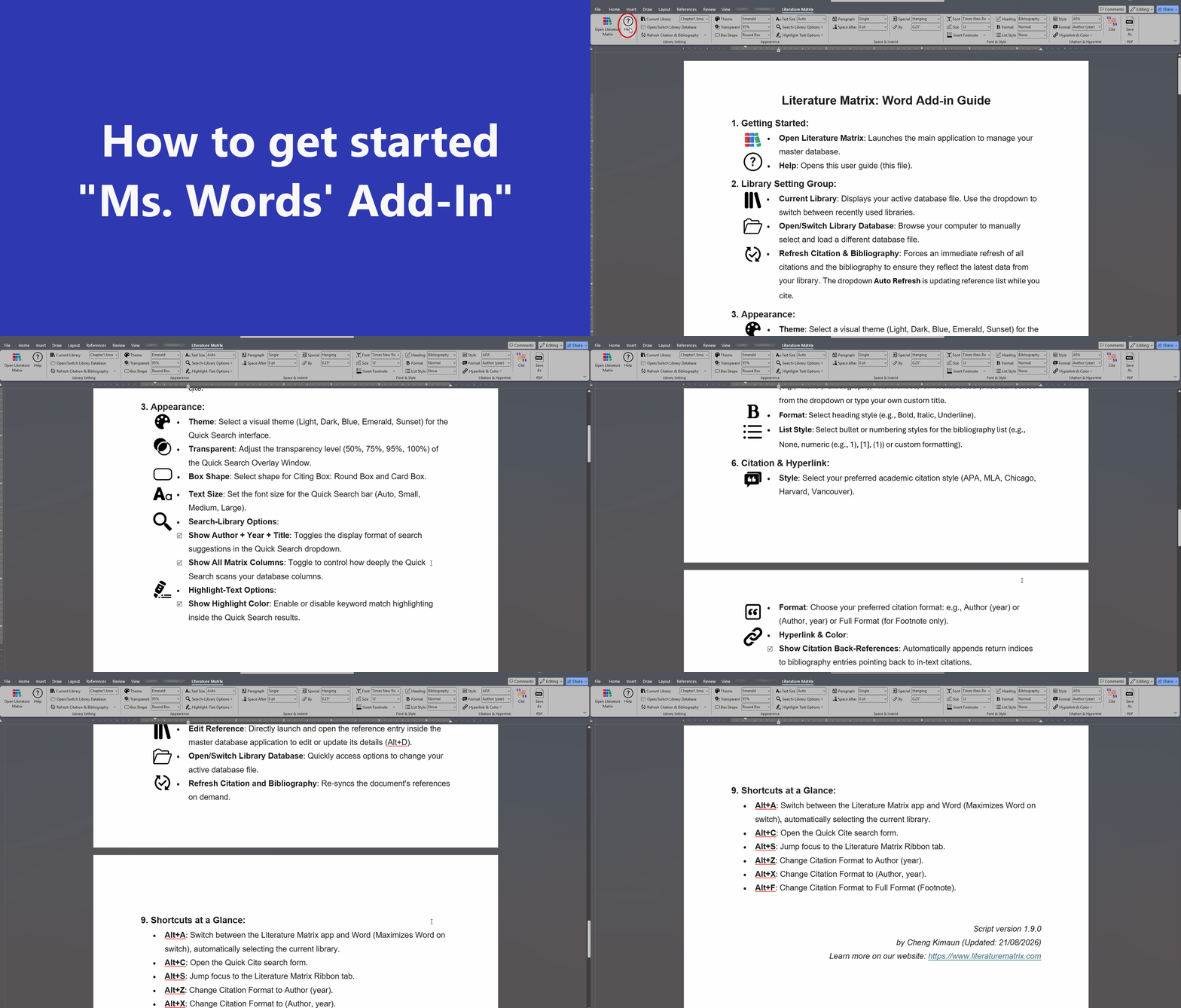
Everything you need to write, cite, and format directly within Microsoft Word.
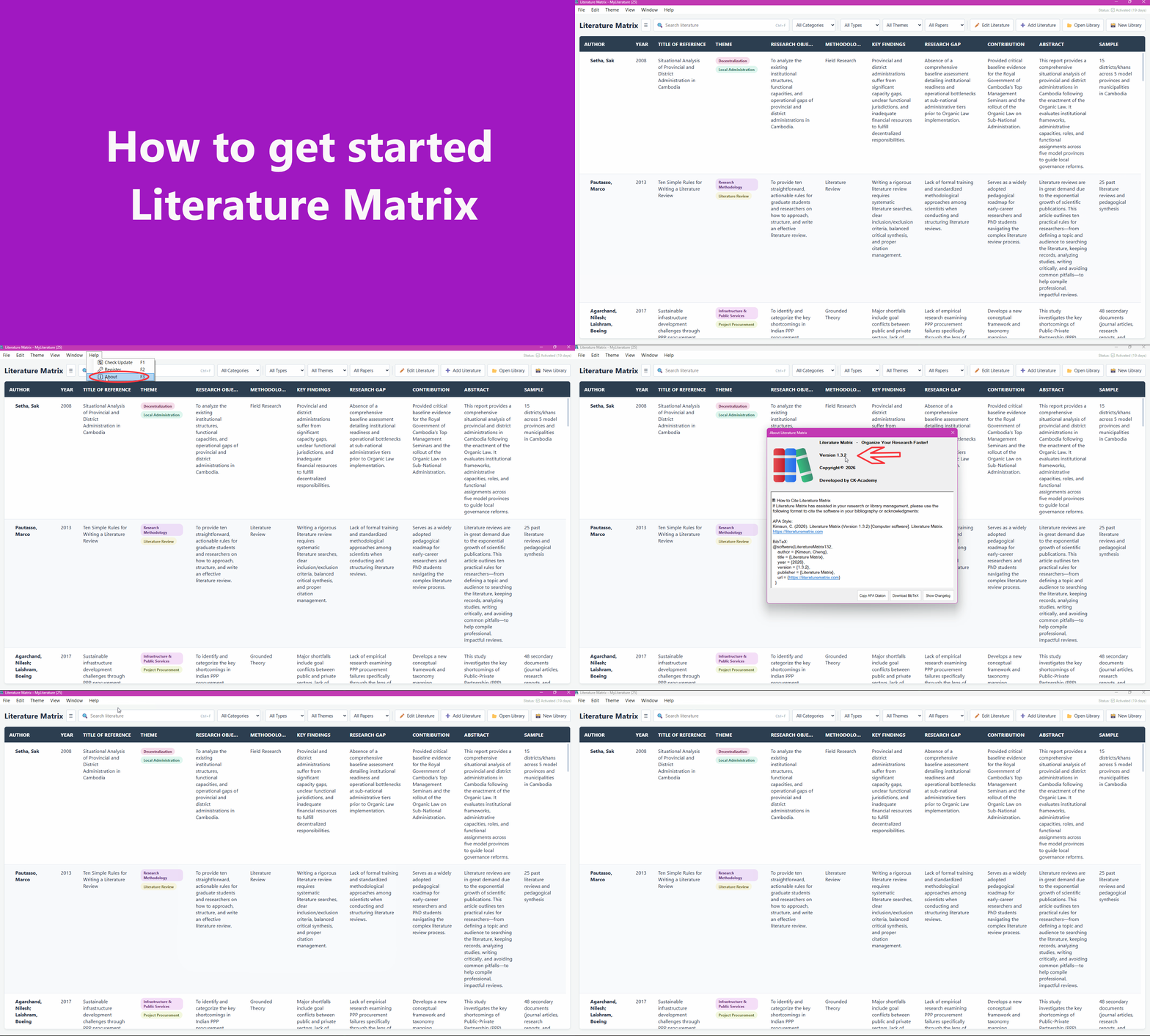
1. Getting Started
- • Open Literature Matrix: Launches main application to manage master database.
- • Help: Opens this user guide.
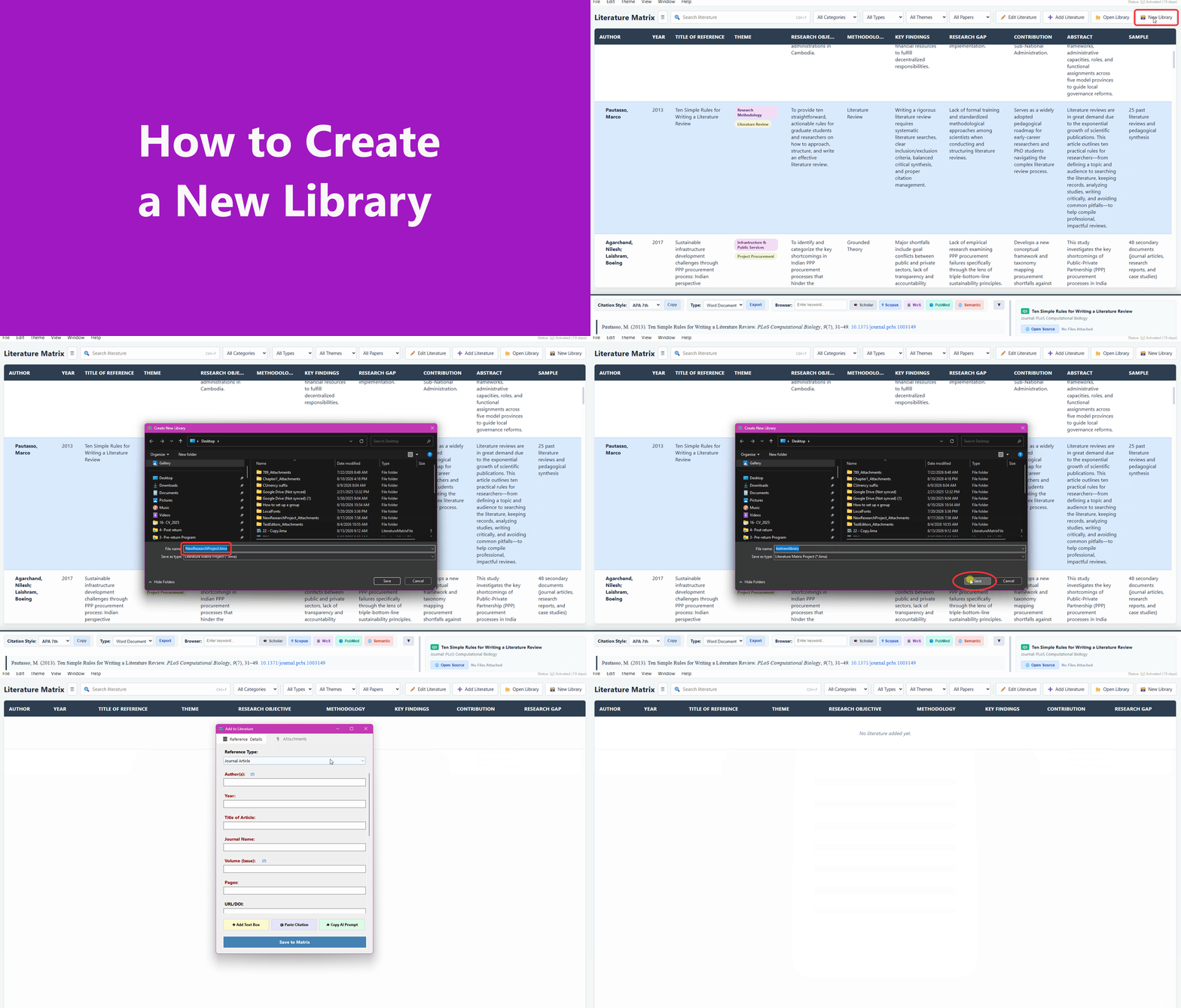
2. Library Setting Group
- • Current Library: Dropdown to switch active database files.
- • Open/Switch Library: Manually browse & select database files.
- • Refresh Citation & Bibliography: Immediate sync + Auto Refresh toggle.
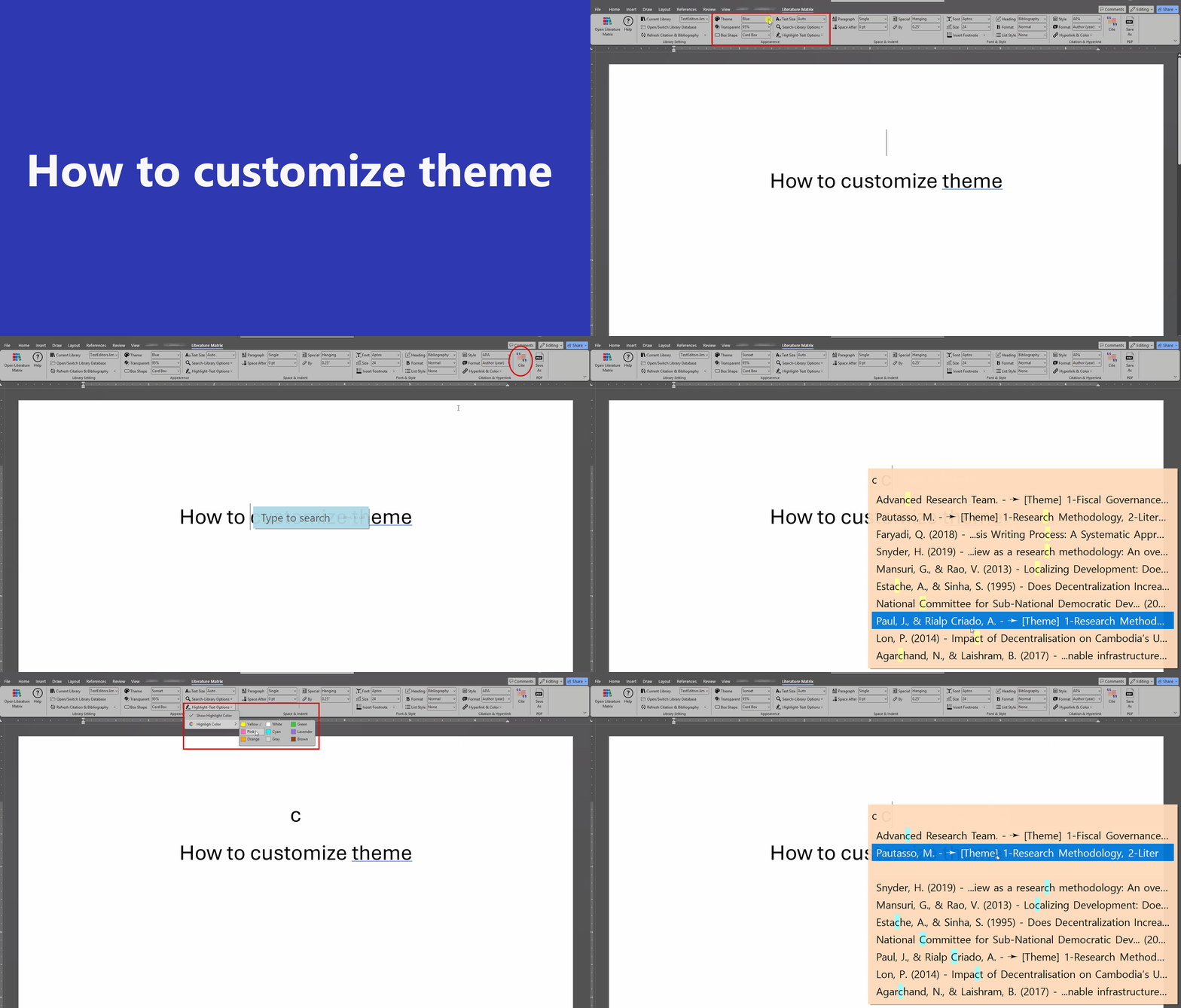
3. Appearance
- • Themes: Light, Dark, Blue, Emerald, Sunset.
- • Transparent Overlay: 50%, 75%, 95%, 100%.
- • Box Shape: Round Box or Card Box.
- • Text Size: Auto, Small, Medium, Large.
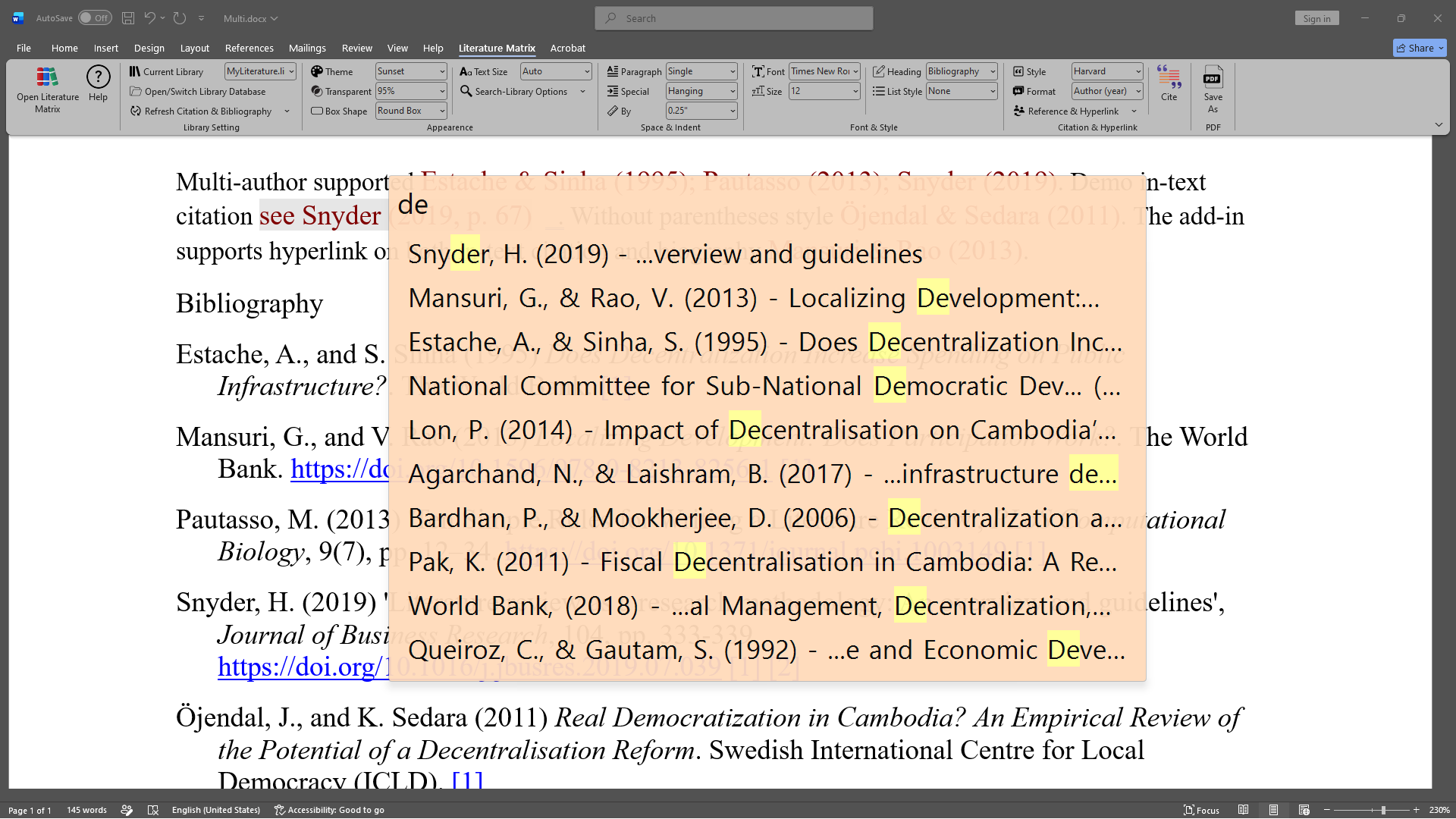
- • Search-Library Options: Author+Year+Title, All Columns.
- • Highlight-Text Options: Custom Match Highlight Colors.
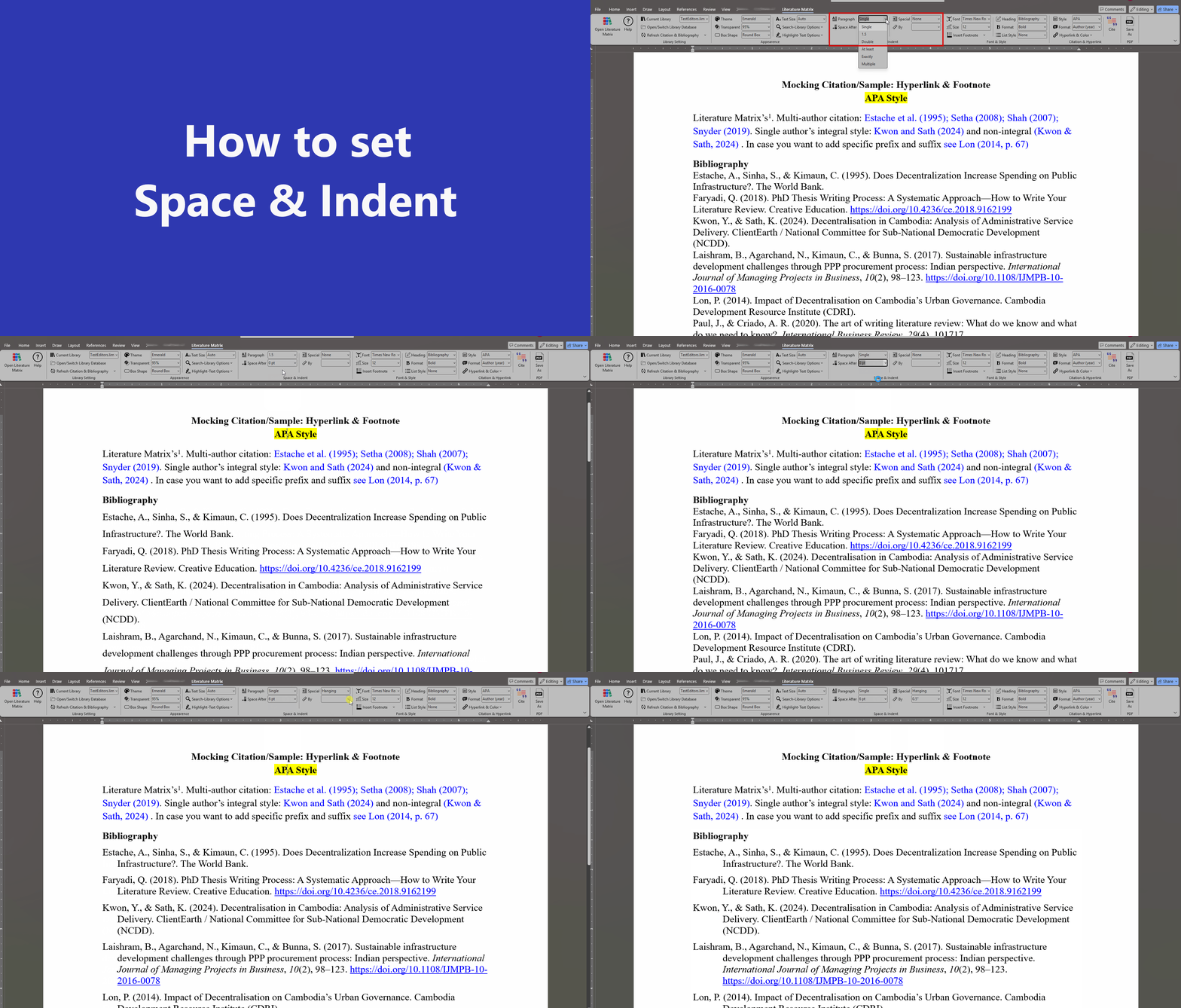
4. Space & Indent
- • Paragraph: Single, 1.5, Double, At least, Exactly, Multiple.
- • Spacing After:Adjust spacing after each line/bullet (0 pt – 24 pt) or type a custom value.
- • Special Indents: None, First line, or Hanging indents.
- • By Measurement: Custom inches (e.g., 0.25" to 1.5").
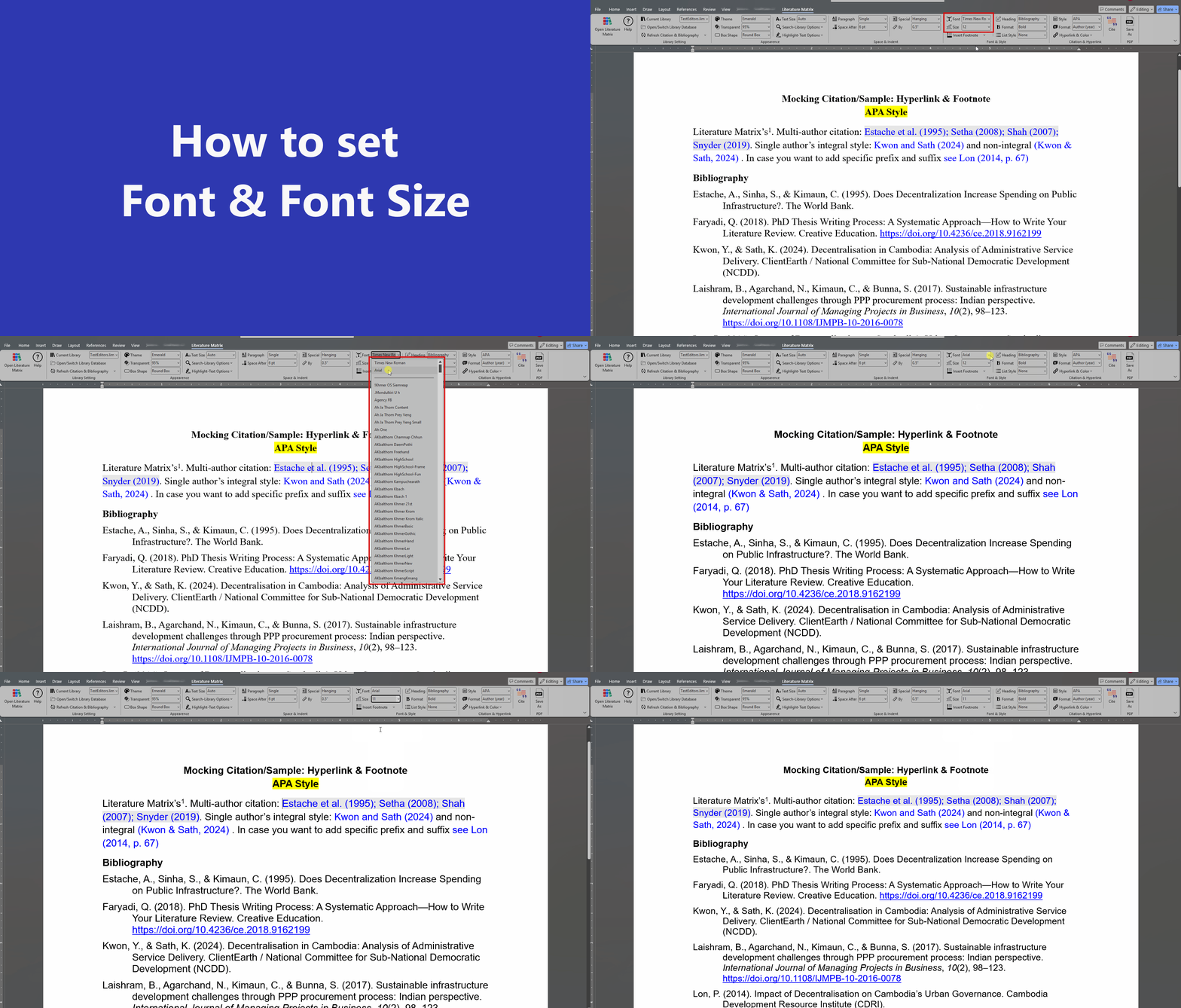
5. Font & Style
- • Font & Size: Custom font face and point sizes for bibliography.
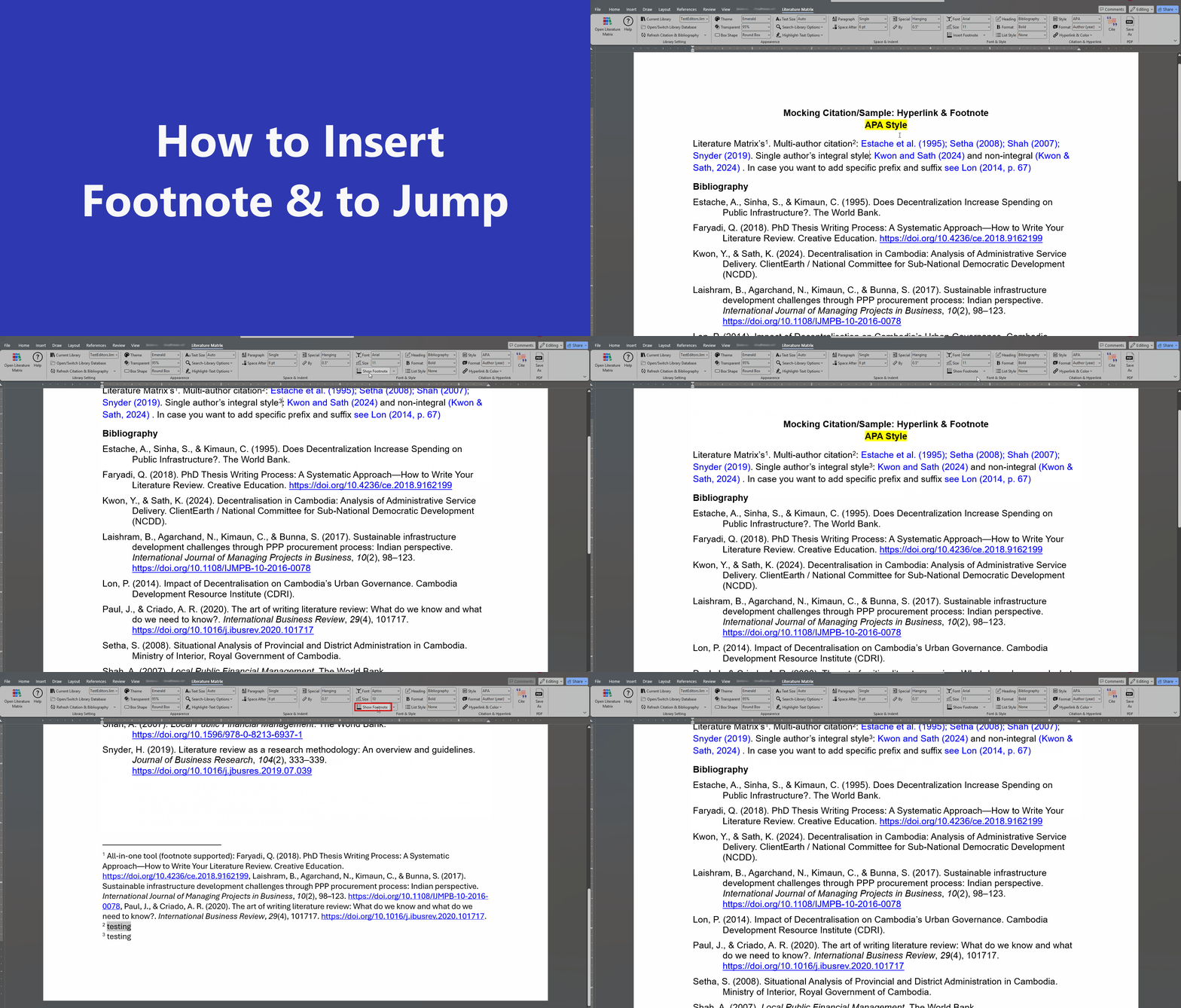
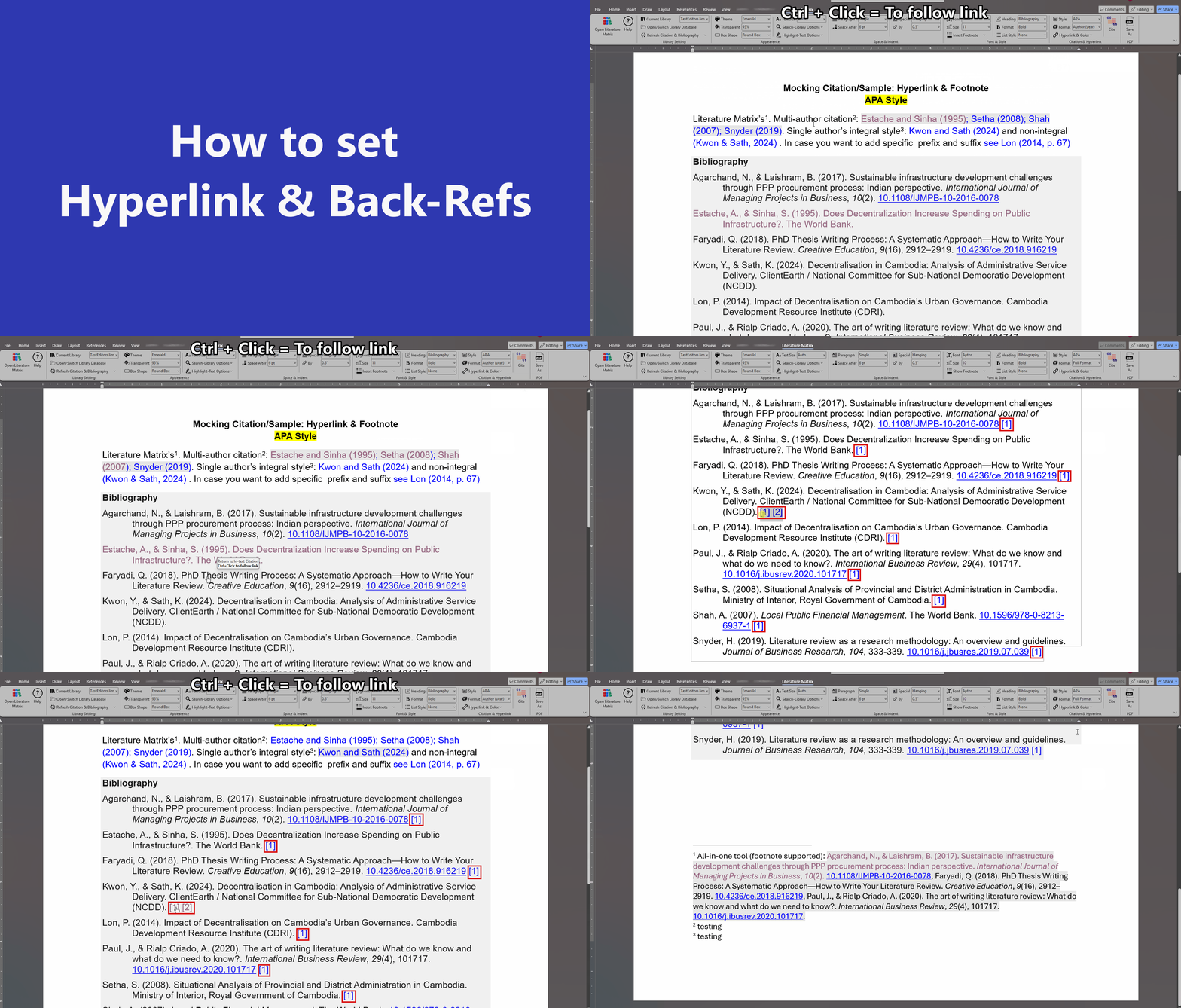
- • Insert/Show Footnote Insert a new footnote, jump to main text and navigate "Previous" and "Next" footnote
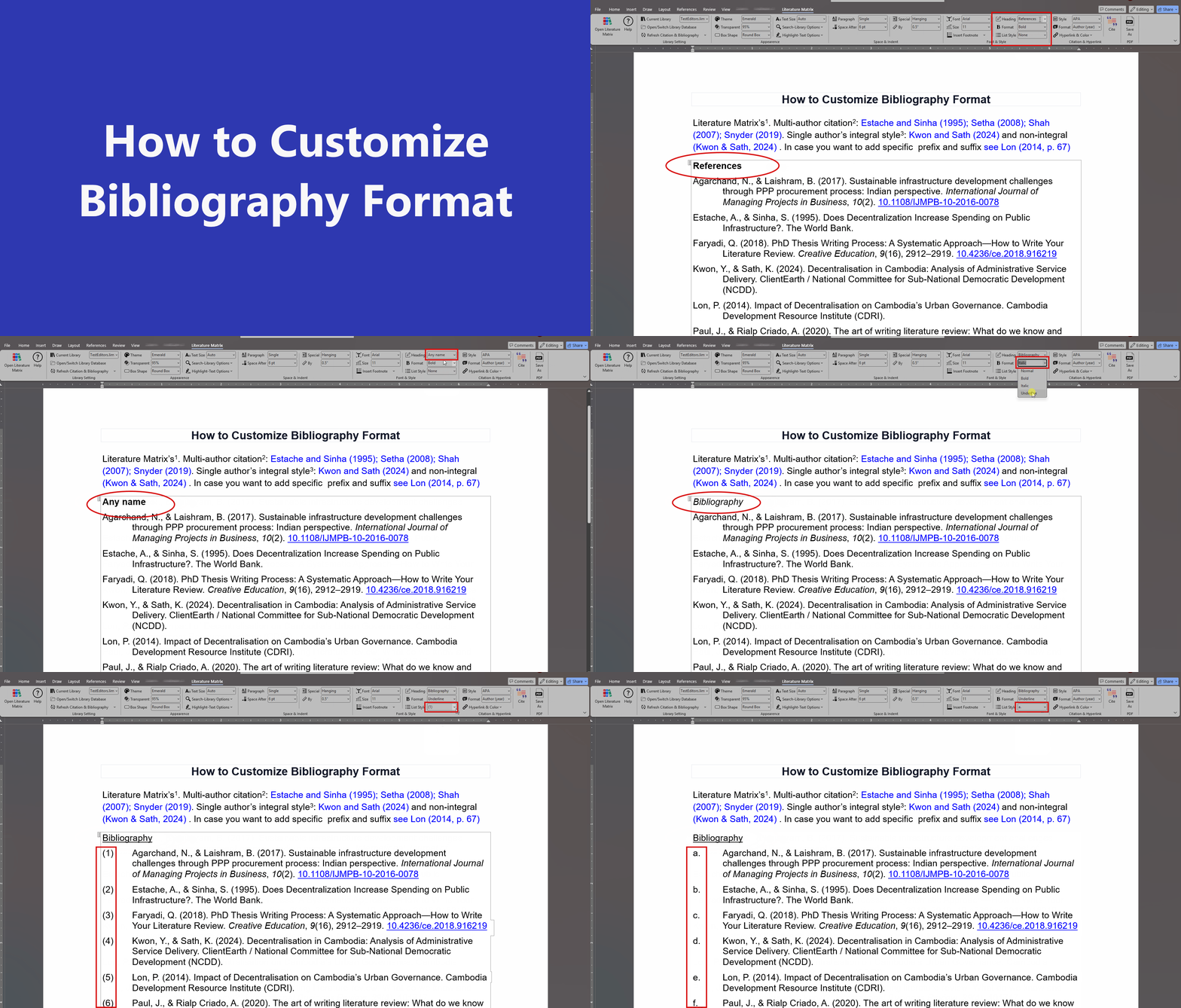
- • Heading Title: "None", "Bibliography", "References", "Works Cited".
- • Format: "Normal", "Bold", "Italic", "Underline".
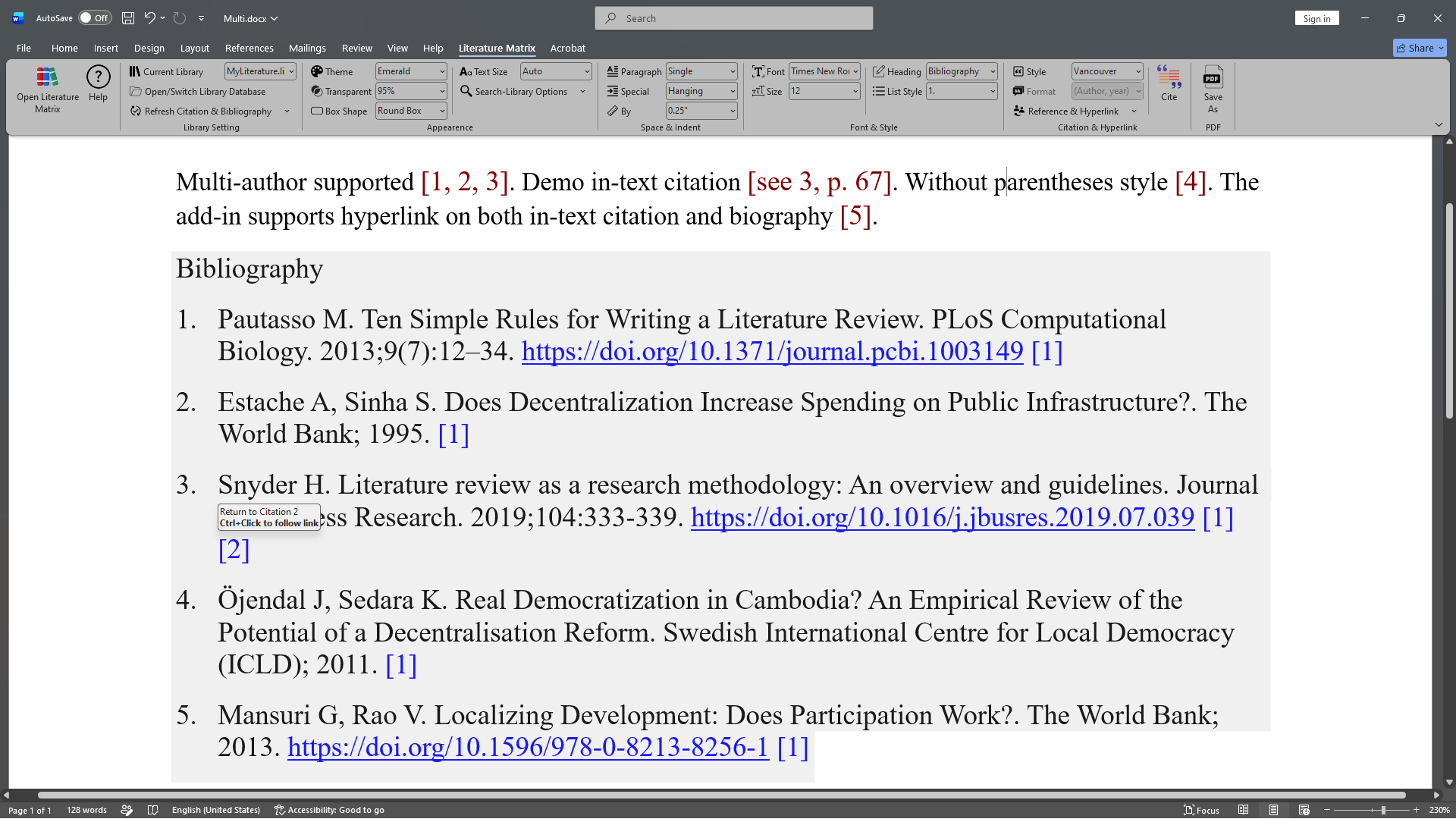
- • List Style: Bullets, Numeric (1), [1], (1), or custom list formatting.
6. Citation & Hyperlink
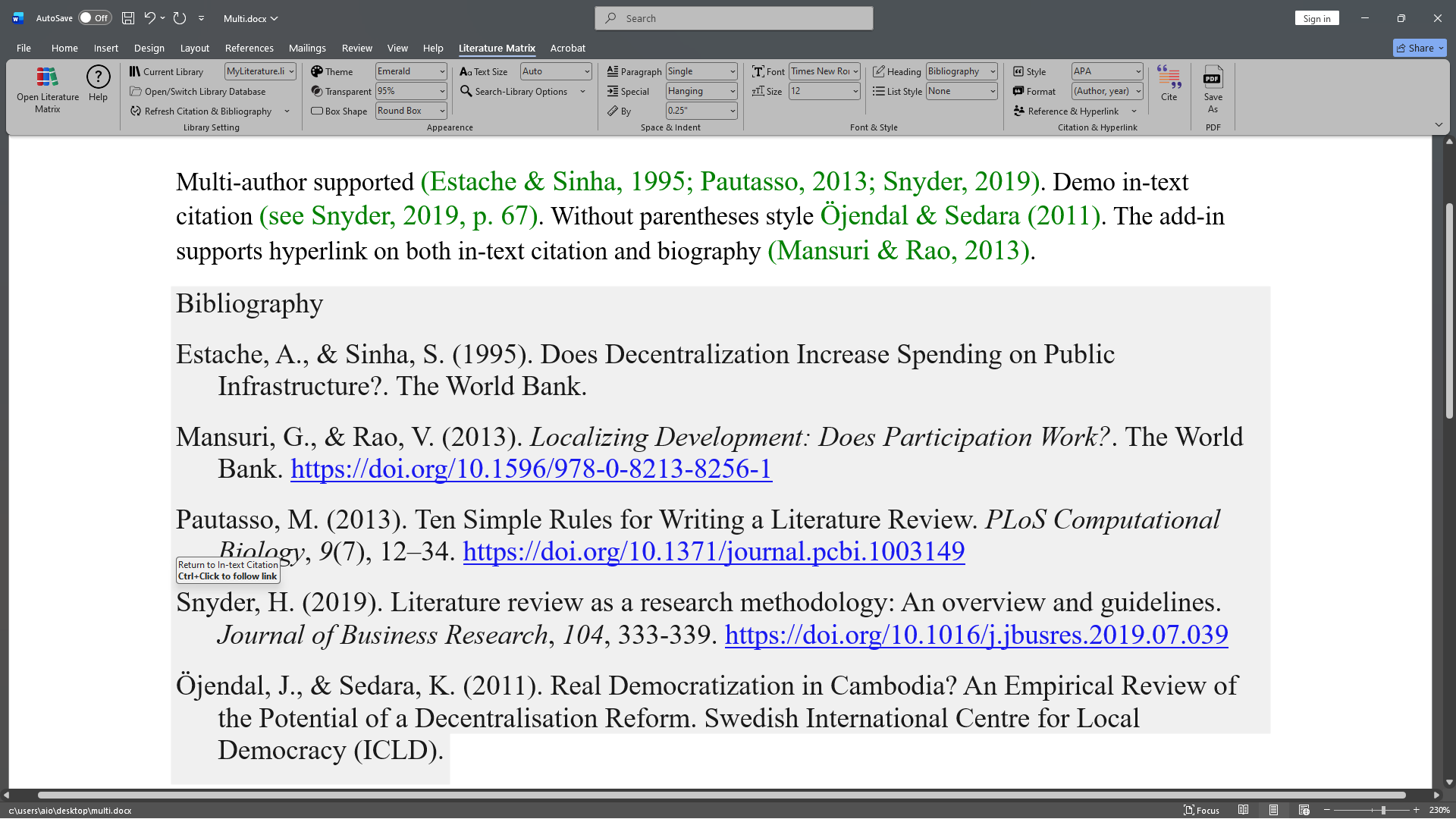
- • Styles: APA, MLA, Chicago, Harvard, Vancouver.
- • Format: Author (year) or (Author, year).
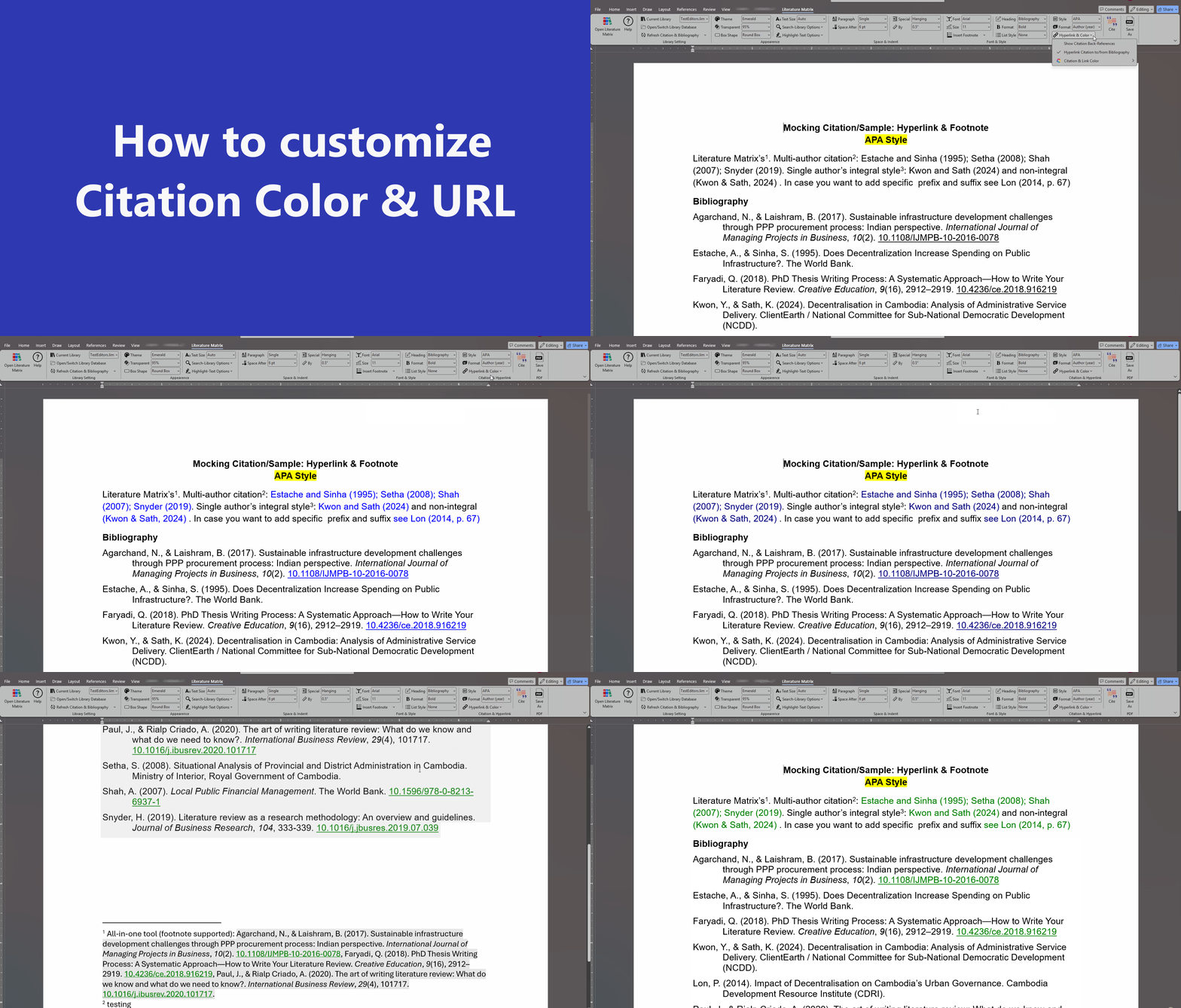
- • Hyperlinks: Active two-way links & back-references.
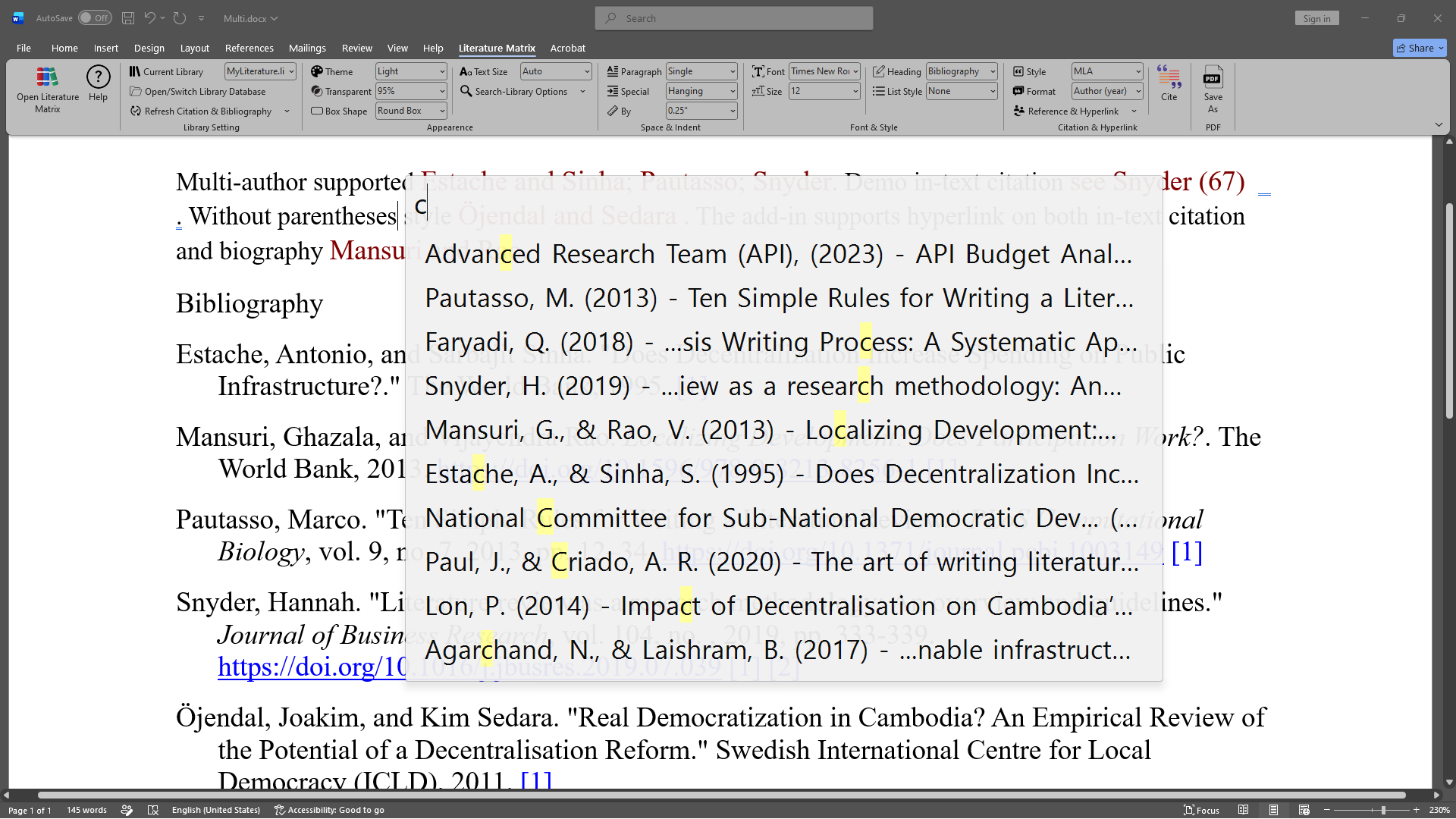
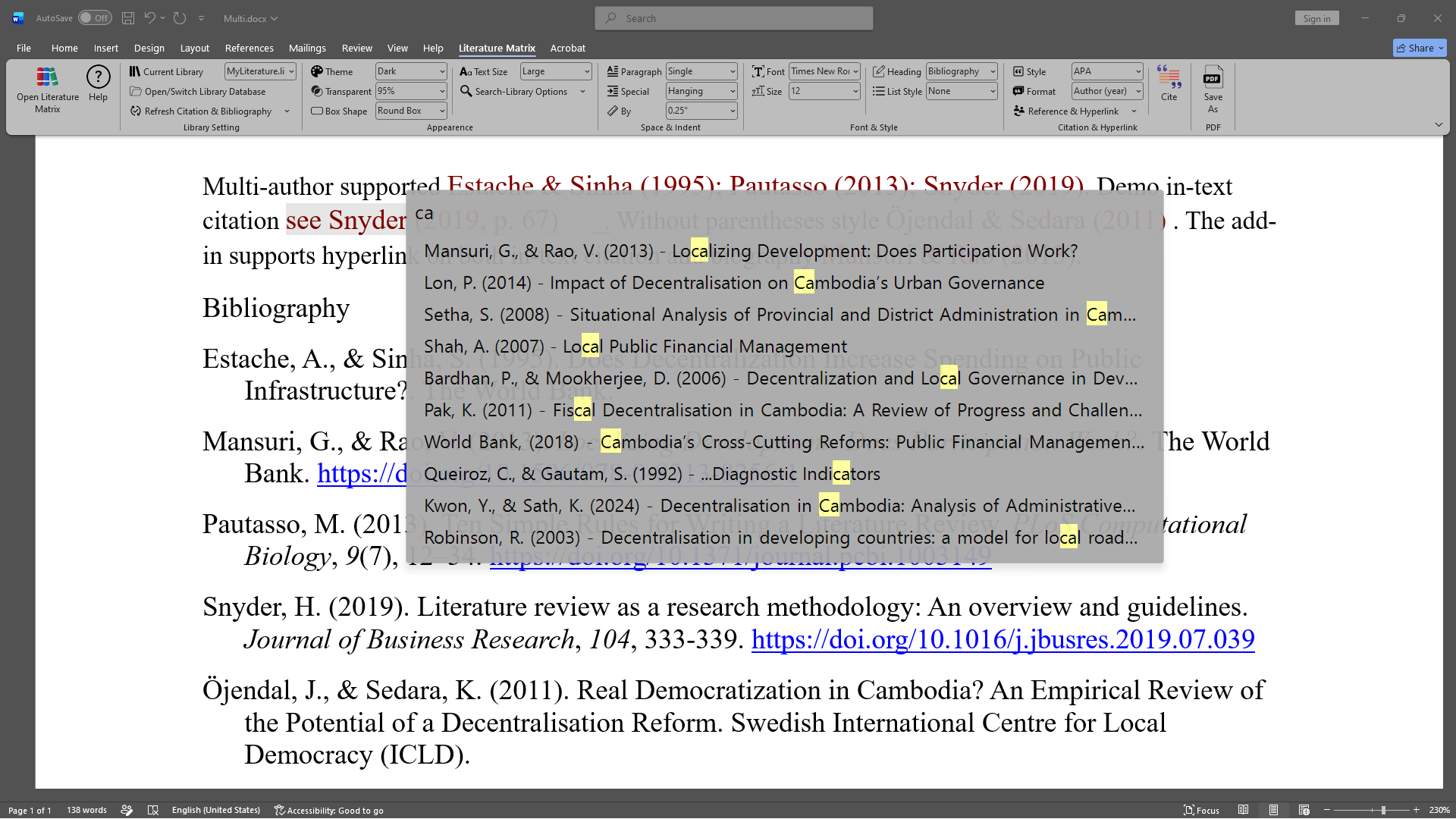
- • Cite Button: Quick Search trigger (
Alt+C).
7. Save As PDF
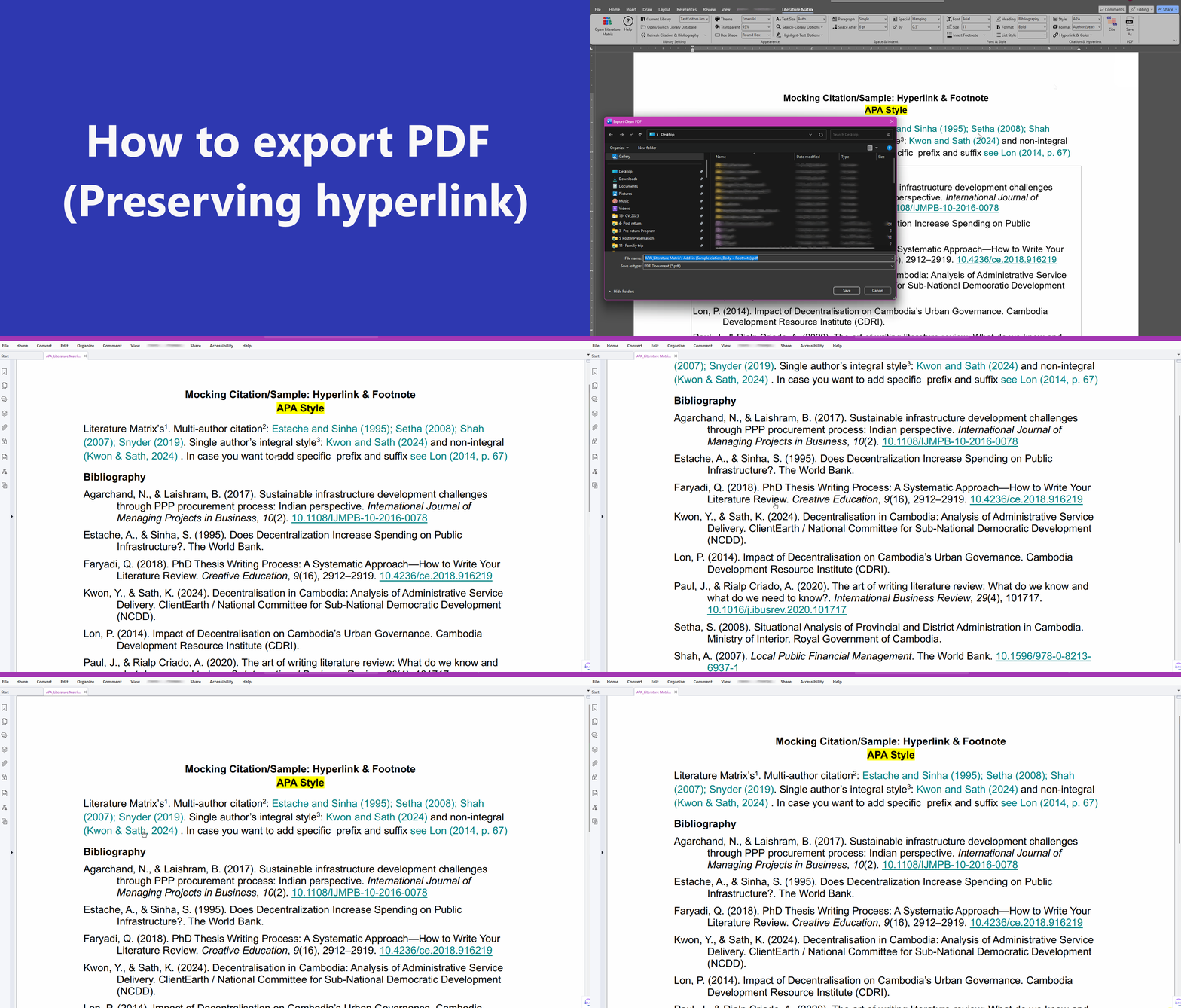
• Instantly cleans up Word field shading and exports your document layout cleanly to PDF while preserving bookmarks and active hyperlinked citations.
8. Right-Click Context Menu
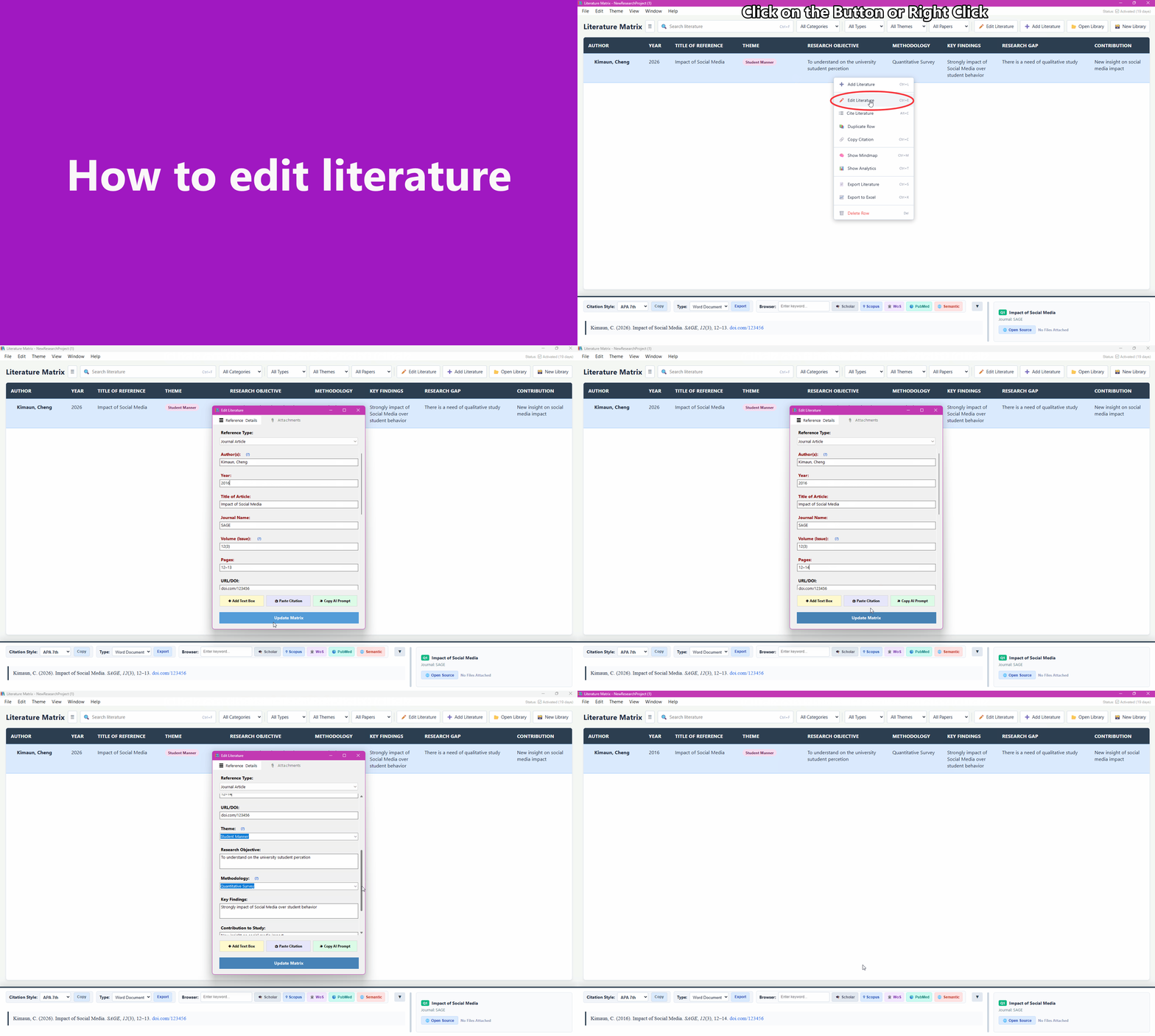
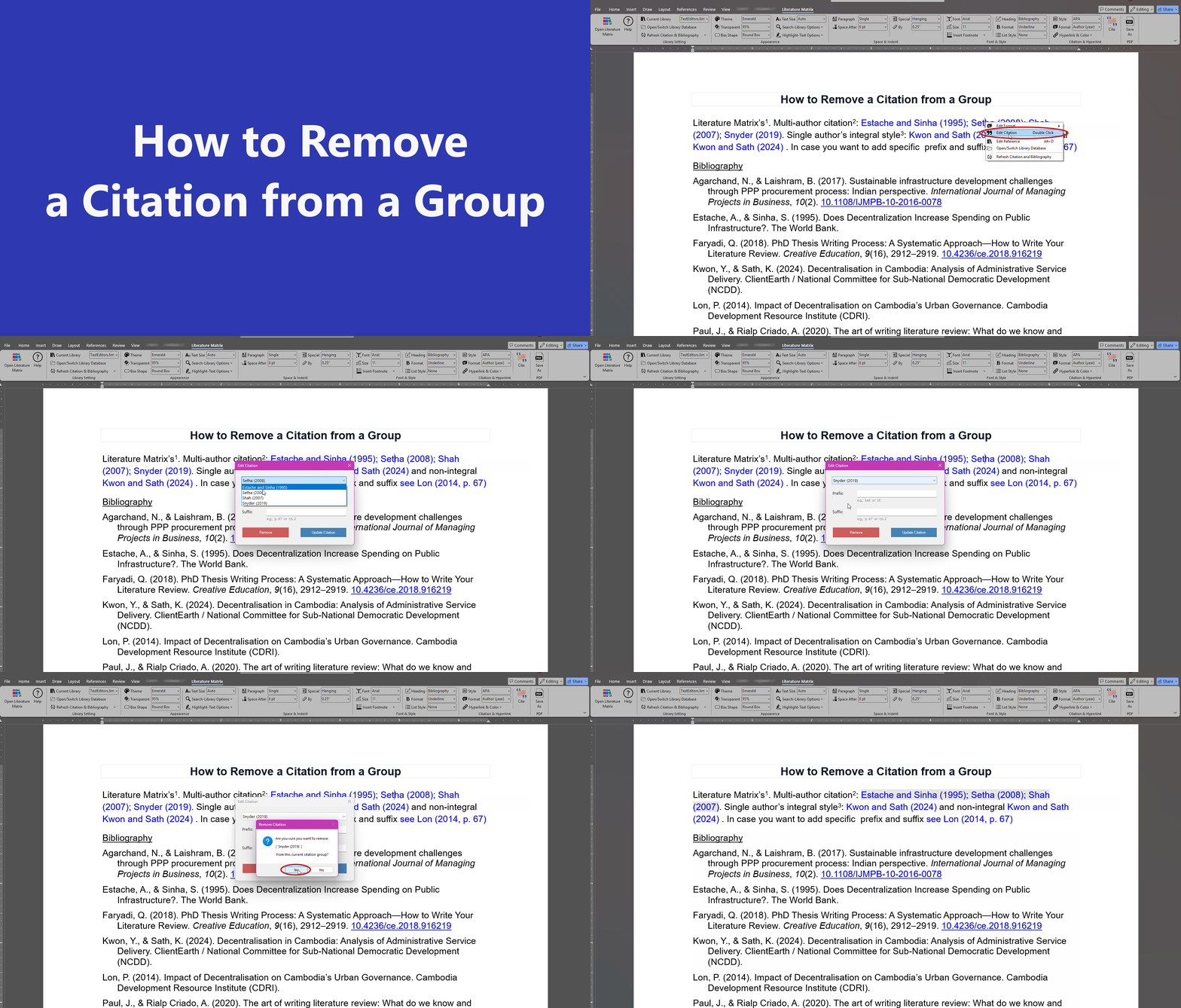
- • Edit Format: Switch between Author (year) & (Author, year).
- • Edit Prefix/Suffix: Add custom text (e.g., "see", "p. 67").
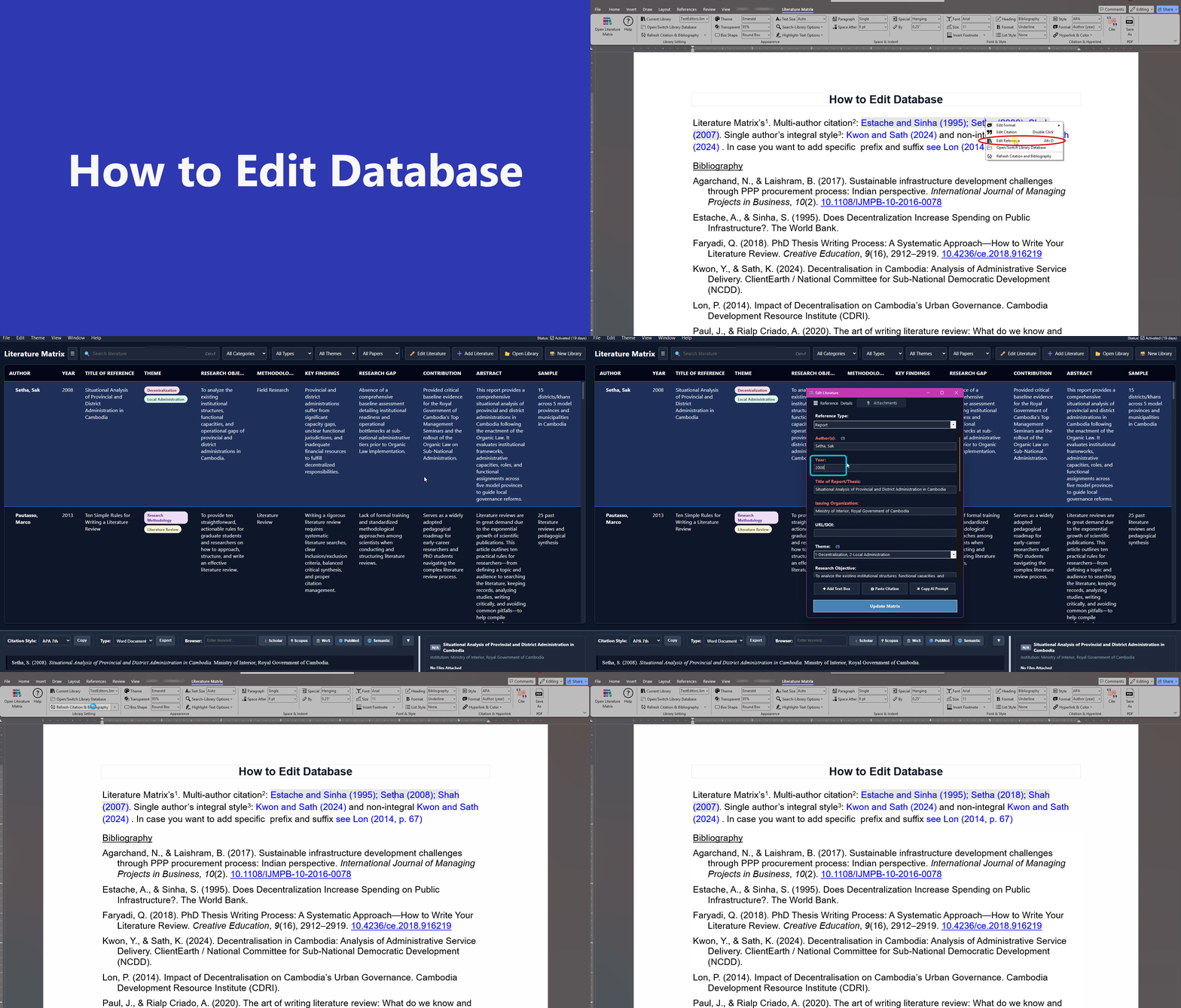
- • Edit Reference: Open master database to edit source details.
- • Switch Library & Refresh: Quickly re-sync references on demand.
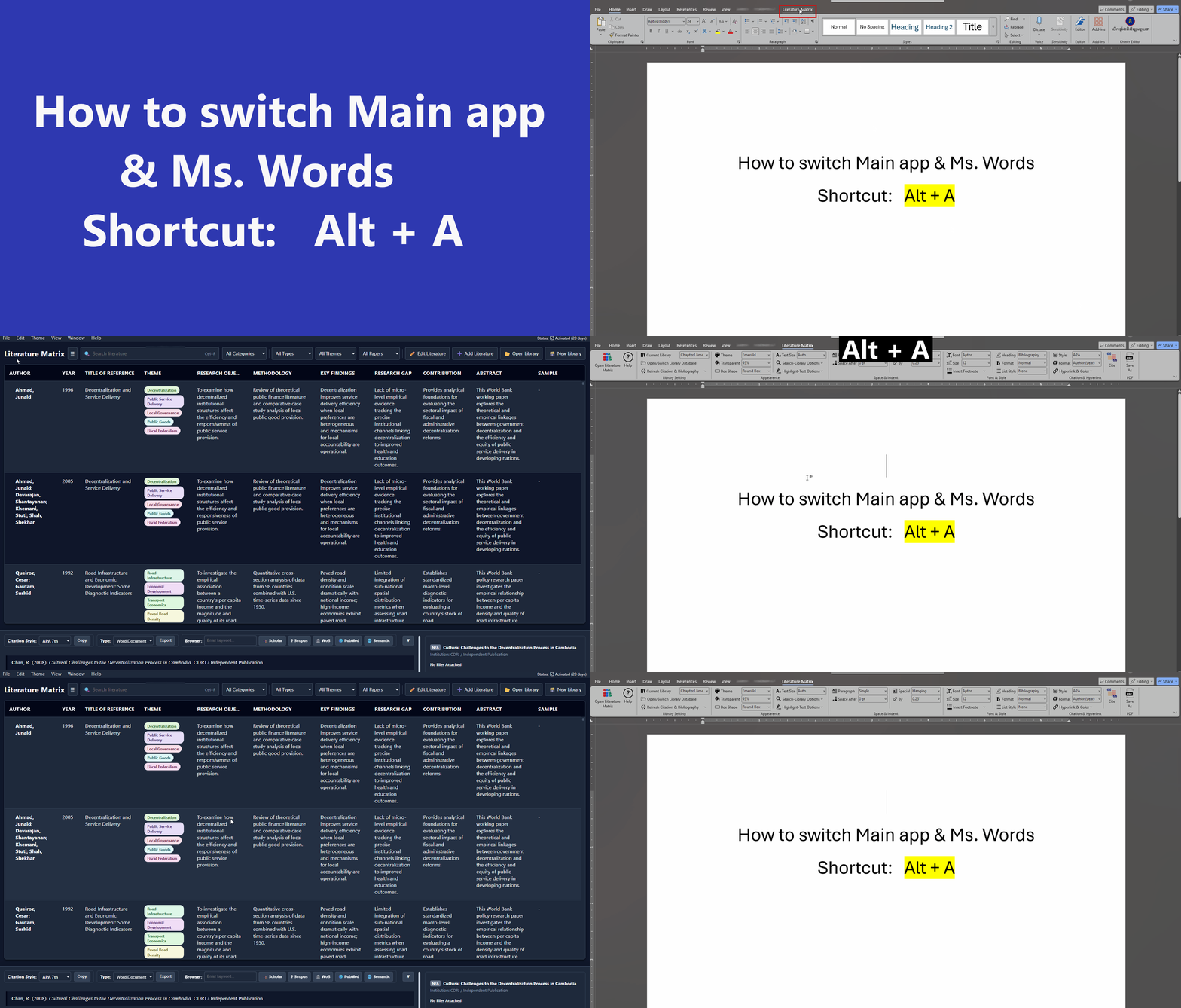
Word Add-in Shortcuts
Speed up document citations directly inside Microsoft Word.
Alt + AAlt + SAlt + ZAlt + XAlt + FAlt + CDouble ClickAlt + DPricing Plans
Choose the plan that best fits your research needs. All plans include full access to the Desktop App and Word Add-in.
Special 30% Discount!
Grab your license at a massive discount before the timer ends.
1 Month
1 Device
3 Months
1 Device
6 Months
1 Device
1 Year
1 Device
Lifetime
4 Devices
Video Tutorials & Guides
Learn how to maximize your research productivity with these step-by-step guides.
Getting Started: Installation & Setup
Learn how to install the app and configure the Word Add-in.
Mastering the Central Database
How to import RIS/BibTeX files and organize your literature.
Word Add-in: Citing & Formatting
Using Alt+C, customizing styles, and generating bibliographies.
Using the AI Prompt Generator
Speed up your workflow by generating prompts for external LLMs.
Advanced Features: Mindmaps & Analytics
Visualizing your database connections and research trends.
Download & Updates
Get the latest standalone Literature Matrix desktop client and Word Ribbon Add-in bundle.
Literature Matrix Bundle
Includes Desktop App + Word Add-in + Sample Database
Compatible with Windows 10 & 11. Requires Microsoft Word 2016 or newer.
Recommended Installation
Because this is a new release, Windows SmartScreen may flag the direct .exe installer. To prevent this, we recommend downloading the .zip setup.
- Extract the downloaded .zip folder.
- Right-click and run the 1_Run_Me_First.bat file to securely install our publisher certificate.
- The installer will then launch Literature Matrix.exe automatically and ask your permission!
📝 Release History & Changelog
Help Center
User guides, tutorials, and documentation.







Contact Support
If you have already paid but haven't received your license key, or if you have any other questions regarding your subscription, please contact us directly using the methods below.